Yes, but choose what the AI does. A general AI builder such as Figma Make or Lovable makes pages fast, but RSVPs need a backend you set up and look after. A wedding platform stores replies for you. On yourwedding.app Pro, Claude or ChatGPT drafts your pages, travel and questions, and you press Publish.
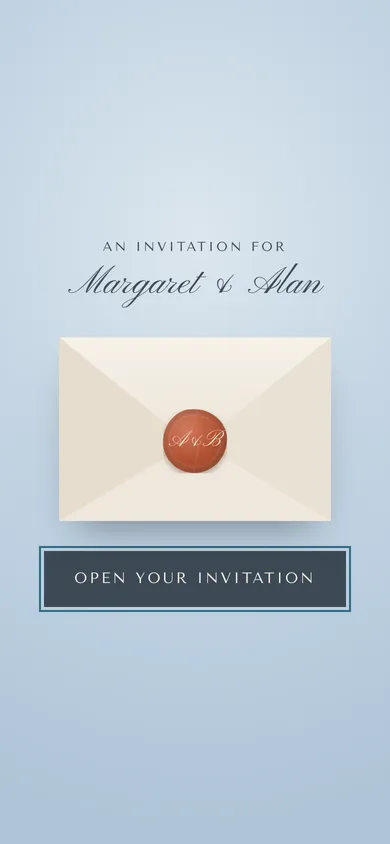
At a glance3 points · 4 sections
At a glance
- A general AI builder makes the pages. You set up and look after where the replies are stored.
- A chatbot can draft the words for any site. Check every date, time and address it writes.
- On yourwedding.app Pro, Claude or ChatGPT saves page drafts. Guests see them after you press Publish.
Search "AI wedding website" and most results are site builders. Few say who keeps your guests' replies once the pages exist, and that's the part that matters.
What are the three ways to make a wedding website with AI?
A general AI builder, a chatbot that writes words for any site, or an AI connected to a wedding RSVP site.
The third is how AI wedding planning works on yourwedding.app: your own Claude or ChatGPT drafts the words on a wedding website that already handles invitations and replies.
| Point | General AI builder | Chatbot plus any site builder | AI connected to yourwedding.app |
|---|---|---|---|
| Examples | Figma Make, Lovable | ChatGPT, Claude or Gemini | Claude or ChatGPT, on Pro |
| Who writes | The AI makes pages from prompts | The chatbot drafts, you paste | The AI saves drafts, you publish |
| Who stores RSVPs | A backend or database you connect | Your site builder | yourwedding.app |
| How guests reply | Whatever form you build | Your builder's form | Their own personal link |
| Search engines | Your settings | Your builder's settings | Guest sites kept out |
| Cost | Free plans with limits, then paid | Free tiers, plus your builder | A$299 once, plus your AI plan |
What does an AI-built site leave to you?
The pages are the easy part. The guest side is where the work is.
- Storing replies. Figma's page says you can "connect a backend or API to preview and manage submissions" (Figma Make). Lovable's guide says to "Integrate Supabase for RSVP Management" and use Resend for guest emails (Lovable). That's more accounts to keep running until the day.
- Households. A plain form doesn't know who belongs together. On ours, one person replies for everyone in their household, children included.
- Matching replies to your list. Anyone with a form's link can fill it in. Our guests reply on their own link.
- Dietary consent. Dietary needs are health details. Our reply form asks a guest to agree before their dietary note is shared with you, your planner and your caterer.
- Hiding from search. Check your builder's setting before you publish. Our guest sites are kept out of search engines. That isn't a password: anyone with your address can read pages like The Day and Travel.
- Deleting it later. Ours deletes guest replies on a date you pick, 3 to 24 months after the day.
- Sending invitations. A builder gives you one link to share. We email each invitation from the studio in your names. We text Australian mobiles once you confirm a guest agreed to texts.
Prompts for each page
These work with any chatbot. Each asks it not to invent details.
Write a welcome for the top of our wedding website. We're [names], marrying on [date] at [venue] in [town]. Three warm, plain sentences. Don't invent anything I haven't told you.
Turn these notes into a timeline for guests: [paste notes]. One line per event, with the time and the place. Keep my times exactly as written. Mark anything unclear with [check].
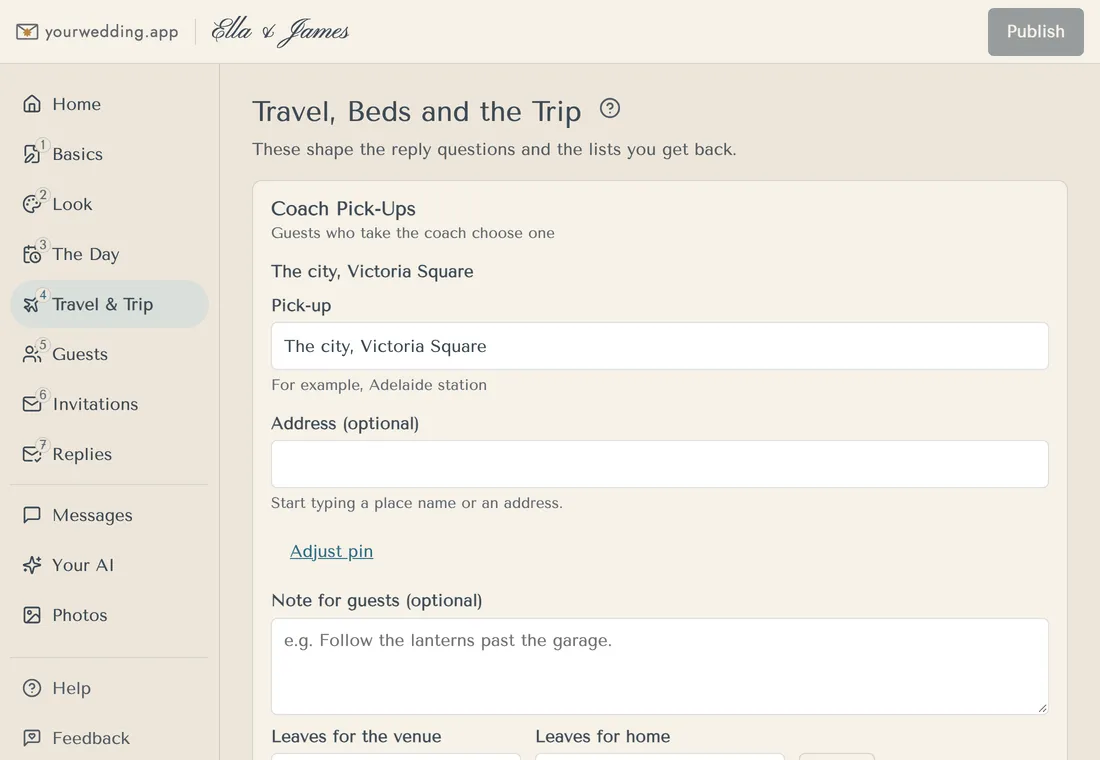
Write a Travel section for guests coming from [city]. Use the drive time I give you ([time]), the parking details ([details]) and these places to stay: [list]. Put parking near the top. Don't add places I haven't listed.
Write short answers for our website to these questions: what to wear ([dress code]), are children welcome ([our rule]), gifts ([our wish]), and who to call on the day ([name]). One or two sentences each, warm and direct.
Suggest three questions for our RSVP form, beyond yes or no. We have [a coach / a Sunday lunch / a vegetarian option]. Each should be answerable in one tap.
Connected to yourwedding.app with Read and write, it can add the question for you.
For what each page should hold, see what to put on a wedding website. For lines to copy, see wedding website wording examples.
How do we have Claude or ChatGPT draft our pages?
Connect it on Pro with Read and write, ask for one page at a time, then publish.
- In the studio, open Your AI and choose Read and write.
- Copy the connector address and add it in Claude or ChatGPT. Our Claude guide has the steps.
- Ask for one page, for example: "Read our Travel page and make it clearer. Put parking near the top. Save it as a draft."
- Check the draft in the studio preview.
- Press Publish. Guests see nothing new until you do.
It can also add reply questions, update travel and change your style. It can't publish, send invitations or take payments. See what your AI can do.
Not sure an AI is worth it for your site? Compare the AI wedding planner apps before you choose.
Questions
Is there a free AI wedding website builder?
Yes, with limits. Figma says Make is on its free Starter plan, which comes with up to 500 AI credits a month. Lovable's free plan lists publishing by invitation, with custom domains on paid plans. On yourwedding.app you can build your whole site free and try it with 5 guests. The AI connector needs Pro.
Can Claude code a wedding website for us?
It can write the code for pages. We haven't tested a Claude-built RSVP form, so we can't say how well one keeps replies. Connected to yourwedding.app with Read and write, Claude saves drafts of your invitation, The Day and Travel pages instead.
Can Lovable handle wedding RSVPs?
Its own guide says to connect Supabase to store RSVPs, and Resend to email guests. So yes, with two more services that you set up and look after until the wedding is over.
Source: Lovable
Will an AI-built wedding website show up on Google?
It depends on the builder's settings, so check before you publish. yourwedding.app keeps guest sites out of search engines, and guests reach yours from their invitation. That isn't a password, though.
Can the AI publish our wedding website?
Not on yourwedding.app. Your AI saves drafts, and guests see them after you press Publish in the studio. On a general builder, check what its AI can publish.
Should we paste our guest list into an AI site builder?
We wouldn't. Whatever you paste stays with that service. Leave out emails, mobiles and dietary notes. Our connector withholds guest email and mobile fields from your AI.