Claude can draft timelines, wording and checklists from anything you paste in. To work from your real guest list and replies, add yourwedding.app as a custom connector on our Pro package. It changes nothing you haven't allowed, and a message it drafts won't send until you approve it in the studio.
At a glance4 points · 7 sections
At a glance
- On its own, Claude works from what you paste. Connected, it reads your real guest list and replies.
- Every Claude plan can add a custom connector. A Free account can add just one. Checked 3 November 2026.
- Start on Read. Choose Read and write when you want Claude to add guests or save page drafts.
- The connector withholds guest email and mobile fields from Claude.
Most AI wedding guides tell you to paste your guest list into the chat, dietary notes and all. You don't have to. Claude can read the list where it already lives, within limits you set.
What can Claude do for our wedding?
Couples already use AI to draft. In Easy Weddings' 2026 survey of more than 4,200 couples, 61% felt positive about using AI for planning. The top uses were ideas (21%), budgets and timelines (18%) and emails and messages (17%) (Easy Weddings Annual Survey 2026, p. 12).
On its own, Claude knows what you tell it and nothing more. Connect it to AI wedding planning on yourwedding.app and it works from the wedding itself.
| Job | Claude alone | Connected, Read | Connected, Read and write |
|---|---|---|---|
| Timelines, checklists, words | From what you tell it | Same, plus your real date and venue | Same |
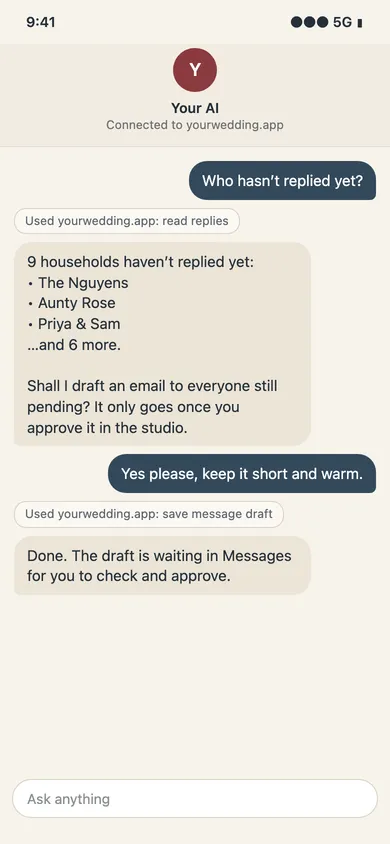
| Who hasn't replied | From a list you paste | From live replies | From live replies |
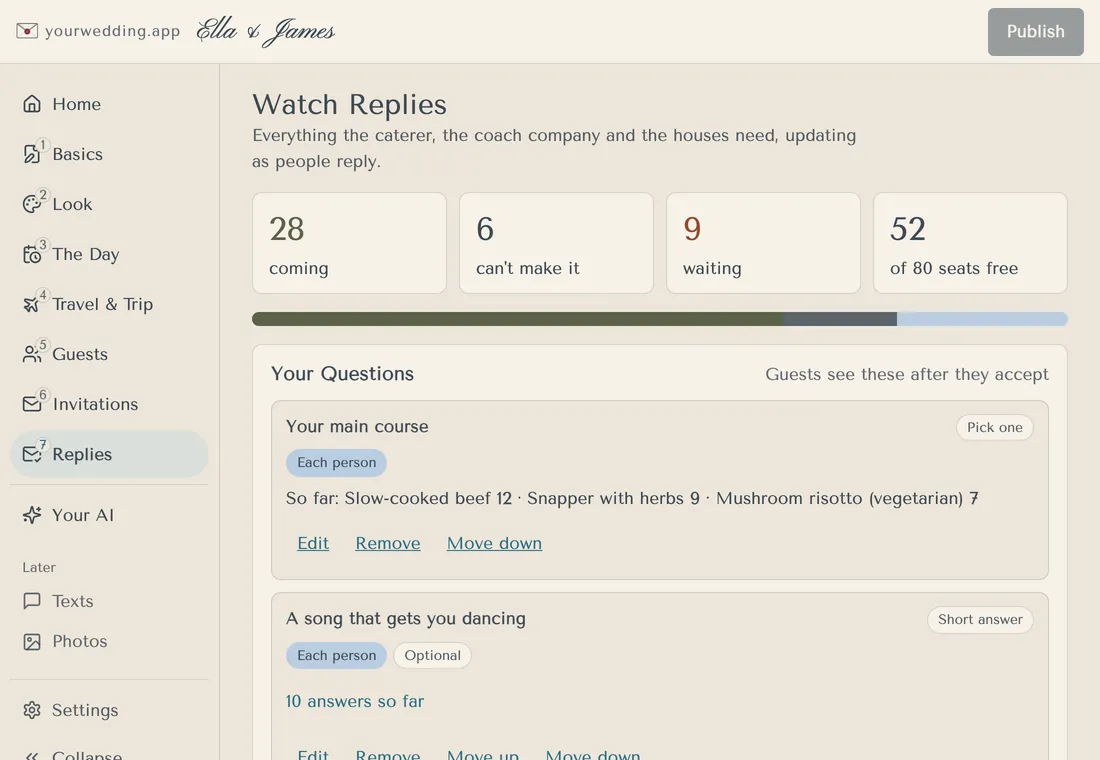
| Dietary list for the caterer | From a list you paste | Yes | Yes |
| Add guests from your notes | No | No | Yes, after you confirm the households |
| Travel or The Day page | Text to copy | Reads the page | Saves a draft. Guests see it after you publish |
| Email guests | Text to copy | No | Saves a draft. Sends after you approve it, with message access |
Which Claude plans can add a custom connector?
All of them, as of 3 November 2026. Anthropic's help says custom connectors are available on "Free, Pro, Max, Ultra, Team, and Enterprise plans", and that "Free users are limited to one custom connector" (Get started with custom connectors).
On Team and Enterprise, an Owner or Primary Owner adds the connector in Organization settings > Connectors. Members then press Connect beside it in Customize > Connectors.
On our side, Your AI is part of the Pro package, A$299 once. Claude runs on your own subscription.
How do we connect Claude?
Set the permission in the studio, then add the connector in Claude.
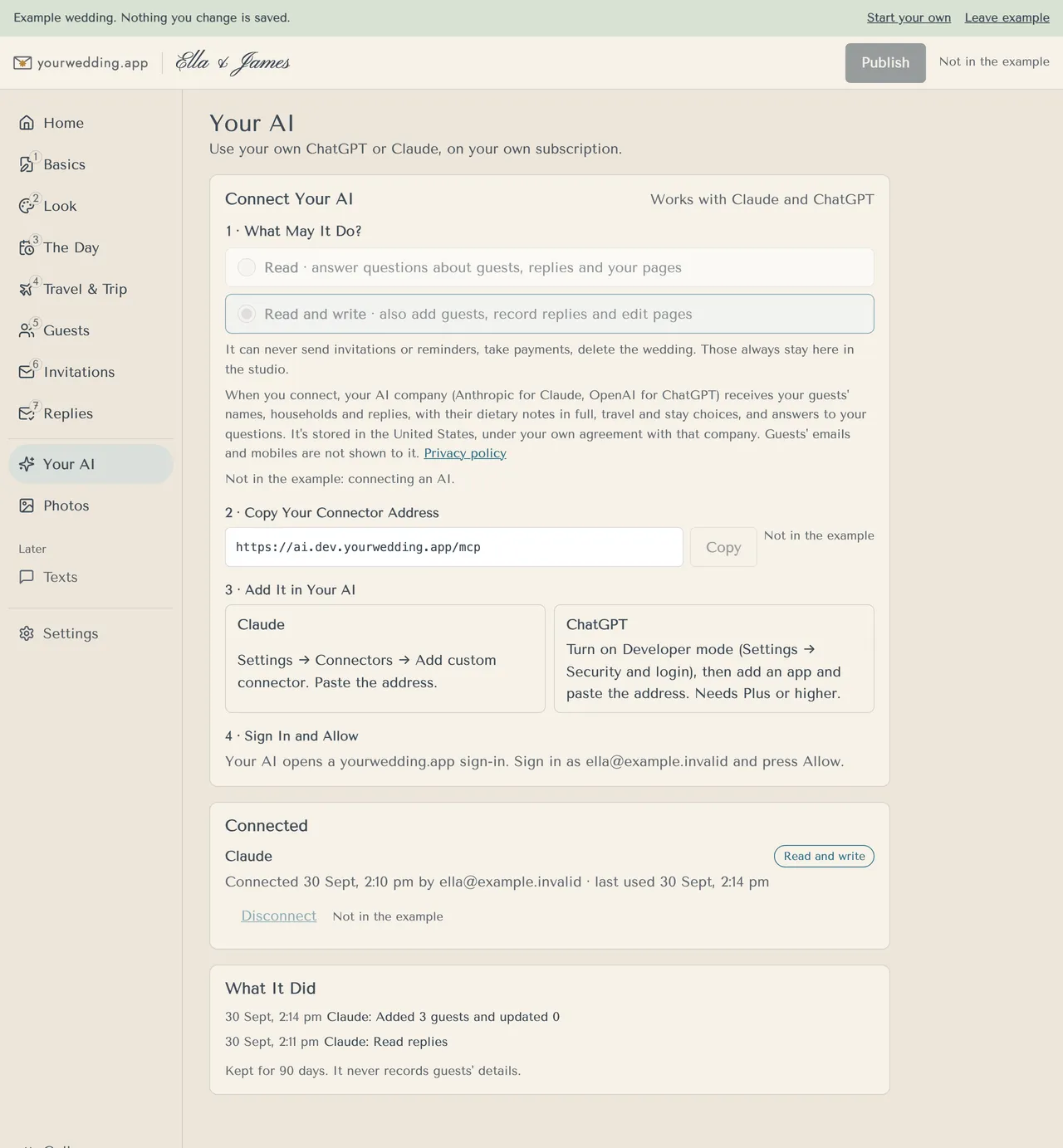
- In the studio, open Your AI.
- Under 1 · What May It Do?, choose Read or Read and write. A wedding that never chose starts on Read.
- Under 2 · Copy Your Connector Address, press Copy.
- In Claude, open Customize > Connectors, press + Add and choose Add custom connector.
- Name it yourwedding.app, paste the address, and follow Claude's prompts to Add.
- Claude opens a yourwedding.app sign-in. Sign in with your studio email, check the wedding and press Allow.
Claude asks before it uses a tool. Anthropic advises keeping Allow always for tools you trust to run unsupervised.
Prompts to copy
Each prompt names one task and asks Claude to check with you before it changes anything.
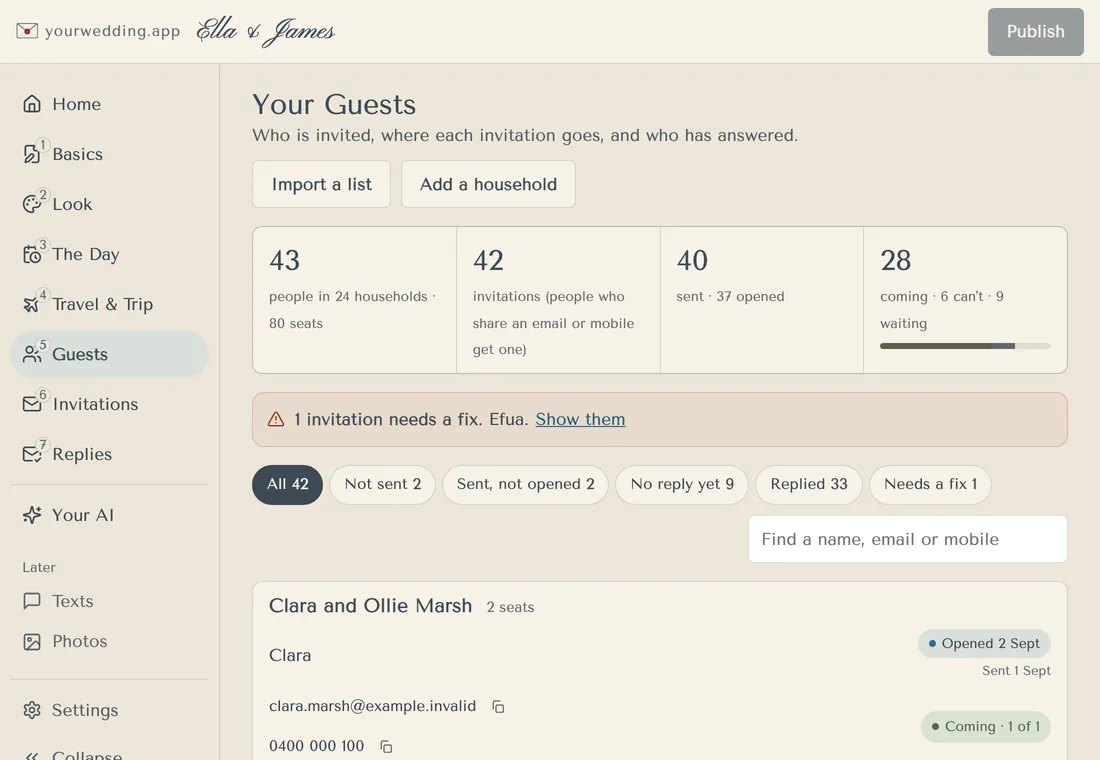
List the households that haven't replied yet, with how many people are in each. Don't change anything.
Make a dietary list for our caterer: each guest who is coming, their dietary needs and their main course choice. Set it out as a table I can paste into an email.
Add these guests from my notes. Put people who reply together in one household. Show me the households and every change before you save anything.

[Paste your notes here]
Needs Read and write. Claude shows the grouping and waits for your yes.
Find the household for Alex and Sam. If more than one household matches, ask me which one before you do anything else.
Read our Travel page and suggest a clearer version: shorter sentences, and parking near the top. Save it as a draft and tell me what you changed. I'll check it and publish it in the studio.
Needs Read and write.
Add a question to our reply form: "Will you join us for the recovery lunch on Sunday?" Yes or no, for each person. Show me the question before you save it.
Needs Read and write.
Draft an email to everyone who has accepted with the coach times from our Travel page. Keep it short and warm. Save it as a draft. Don't send it.
Needs message access. Nothing sends until you approve the exact draft in the studio.
For this whole chat: check with me before you change anything. When a name matches more than one guest, ask which household I mean. Never guess whether someone is coming or what they eat. Tell me when a page edit needs me to press Publish.
For guests who reply late, pair these with our RSVP wording examples.
What can't Claude do here?
These stay in the studio, whatever permission you pick:
- Sending invitations or reminders, payments and deleting the wedding
- Your package, how long guest details are kept, and who is a member
- Publishing. Page edits wait for you to press Publish
- Sending a message unseen. You approve each exact draft, and sending needs its own permission
There are no automatic reminders, from Claude or from us. What It Did on Your AI lists each change for 90 days. See what your AI can do.
What guest details does Anthropic see?
Whatever the connector returns becomes part of your Claude chat: guest names, households, replies, dietary notes and answers. It withholds guest email and mobile fields. With message access, it redacts recognisable addresses and numbers from message text, but the messages it reads can still hold personal details.
On Free, Pro and Max, you choose whether chats help improve Claude, in Privacy Settings. Anthropic keeps chats for five years if you allow that, and 30 days if you don't (Updates to Consumer Terms and Privacy Policy). Team and Enterprise plans sit under Anthropic's commercial terms instead.
Our privacy policy names Anthropic as an AI provider, with processing in the US. Disconnecting stops new access. It doesn't remove what is already in your chats.
What if Claude won't connect?
It's usually one of these.
- Your AI shows Choose a package? The wedding needs Pro.
- On Claude Free? You may have used your one custom connector. Remove it or change plans.
- On Team or Enterprise? Ask an Owner to add it in Organization settings.
- Wrong wedding? Sign in with your studio email and check the wedding before Allow. Cancel any sign-in you didn't start.
- Asked to reconnect? Older connections don't gain new tools. Sign in again and approve.
- Too many connections? One wedding holds up to 10. Disconnect one you don't use.
Questions
Can we use Claude for wedding planning for free?
Yes, for drafting from what you paste in. A free Claude account can also add one custom connector. Connecting it to your guest list on yourwedding.app needs our Pro package, A$299 once.
Source: Anthropic
Can Claude build our wedding website?
It can write the words. With Read and write, it saves drafts of your invitation, The Day and Travel pages, and can change your style. Guests see none of it until you press Publish in the studio.
Is there a Claude wedding planner skill?
We don't publish one. Our connector gives Claude tools for your guest list, replies and pages. For standing rules, paste the house rules prompt from this guide at the start of a chat.
Can Claude send our wedding invitations?
No. Invitations, reminders and scheduled messages stay in the studio. With message access and a separate sending permission, Claude can send a wedding message once you approve that exact draft in the studio.
Can we connect Claude and ChatGPT to the same wedding?
Yes. One wedding can hold up to 10 AI connections, so you and your partner can each use your own. What It Did on Your AI lists what each one changed, for 90 days.
Does it work in the Claude phone app?
Add the connector on the web or desktop. Anthropic says connections work across every Claude client, including the mobile apps, so you can then ask from your phone. Its help doesn't say whether you can add one from the app.
Source: Anthropic