How do I add travel, coaches and places to stay?
Last updated 17 October 2026
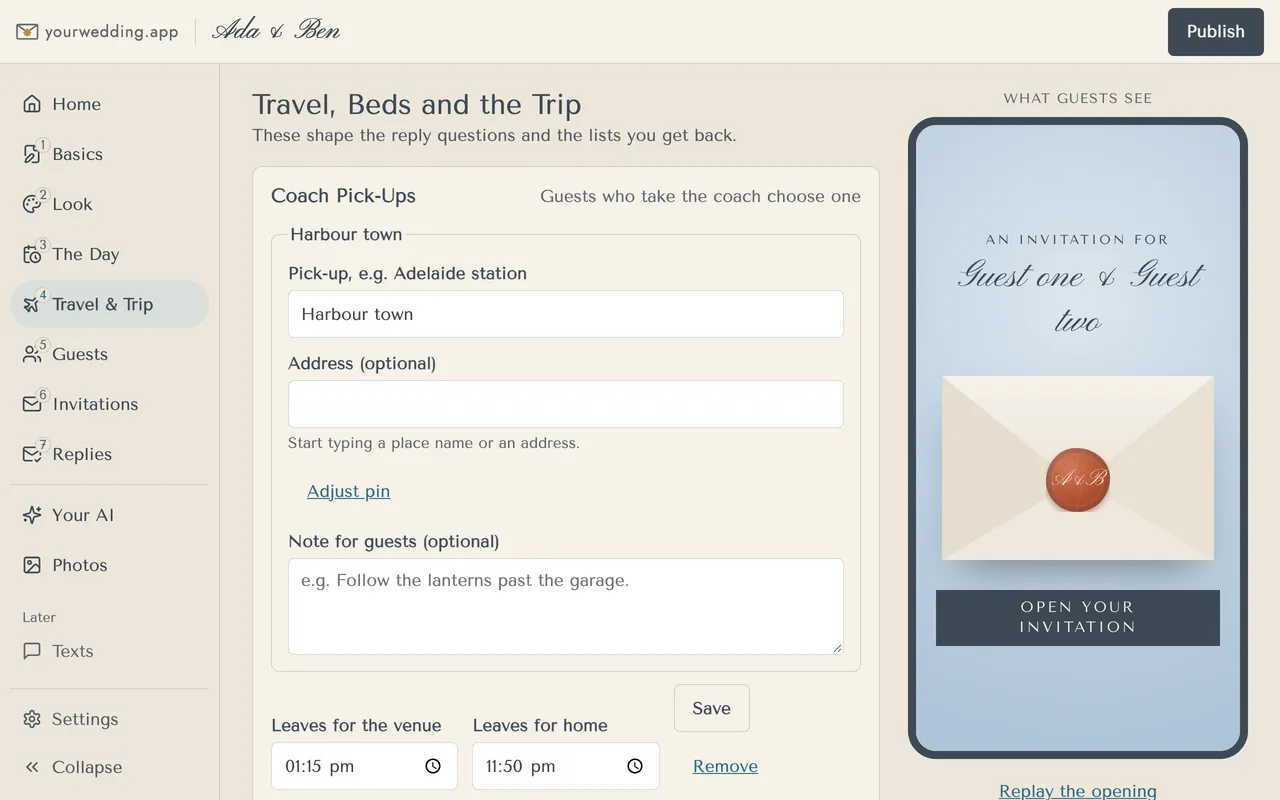
On Travel & Trip. What you add here also shapes the reply questions and the lists you get back.
- Open Travel & Trip.
- Under Coach Pick-Ups, press Add a pick-up. Set the place and when it leaves for the venue and for home. Press Save on each one.
- Add Places Guests Need to Find, a few words on getting there, and where to stay.
- Under Make a Trip of It, add ideas for things to do. Tick Show it to guests for each one you want on the site.
- Under Beds on Site, add a house, its beds and which nights.
- Press Save places and ideas.
If you add no coach, guests aren't asked about one. House guests are asked if they want a bed and which nights. Taking a bed skips the coach questions.
More in Your website
- Where do I put our names, date and venue?
On Basics. Nothing goes live until you publish.
- How do I change how our site looks?
Pick a style on Look. Each style comes with matched fonts and colours, by day and by evening.
- Can I change the fonts and colours?
Yes, on a paid package. Open Fine-tune fonts and colours on Look.
- What is a scene, and how do I pick one?
A scene is the drawn picture of your venue on your invitation email and site. Pick the one closest to your place.
- Our venue isn't in the scenes. Can you draw it?
You can ask us to, on a paid package. We read every request, and we'll email you if we add it.
- How do I add the timeline for the day?
On The Day. Add your times, and we add golden hour and sunset for you.
- How do I see what guests will see?
Look at What Guests See on the right of each editing screen. It shows your draft, before you publish, as a guest sees it.
- How do I make our changes live?
Press Publish at the top of the studio. Saving alone never changes your live site.
- Can we use our own domain?
Yes, on Wedding or Pro. You add two records where you bought the domain, then we set it up.
- Can we change our web address?
You choose your web address during setup. It uses 3 to 40 lowercase letters, numbers and single hyphens.
Still stuck?
Open Help in the studio and choose Contact us. We email you a reference. Can’t sign in? Email us instead.
Contact us in the studioEmail hello@yourwedding.app
Guests: please ask the couple first.