Wedding photo sharing, with no app to download
Every guest’s photos from your wedding day, in one private album. Guests add them from their phone’s browser, and only the people you invited can see them.
How it works
- On the day, guests open their own link, or scan the table card.
- They pick photos and videos from their camera roll. No app to download.
- Everyone invited sees them, by moment or by person. You keep every original.
Only your guests
Each guest opens the album from their own link, the one their invitation came with. There’s no shared password and no event code to pass around, so only the people you invited can add photos or see them.
Browse the day
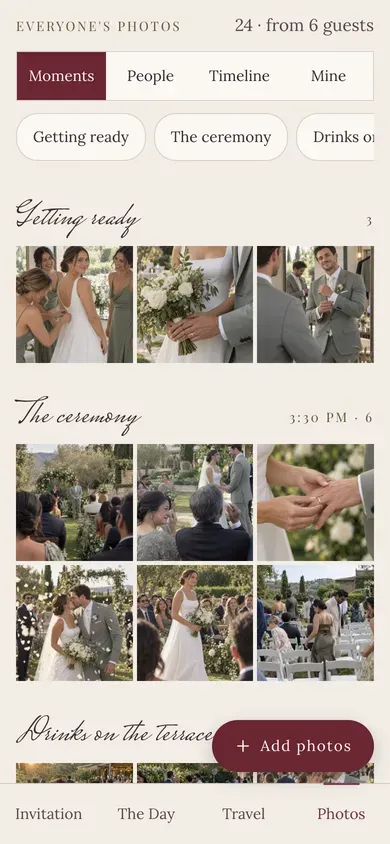
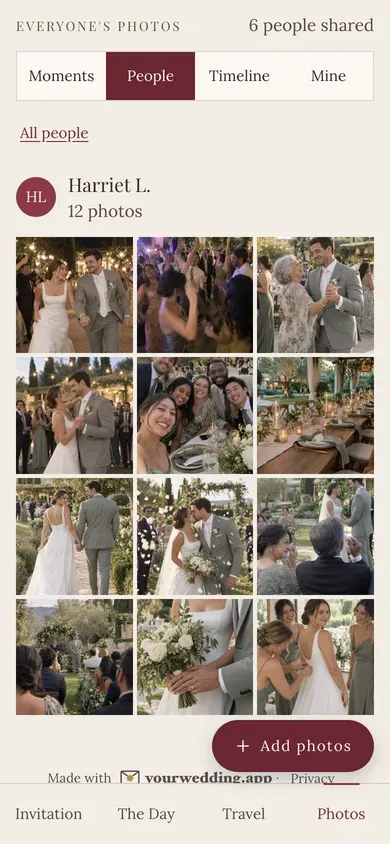
Moments sorts photos into the parts of your day, from your own timeline. People shows who shared what, Timeline runs through the day in order, and Mine keeps a guest’s own photos together.
A table card with a QR code
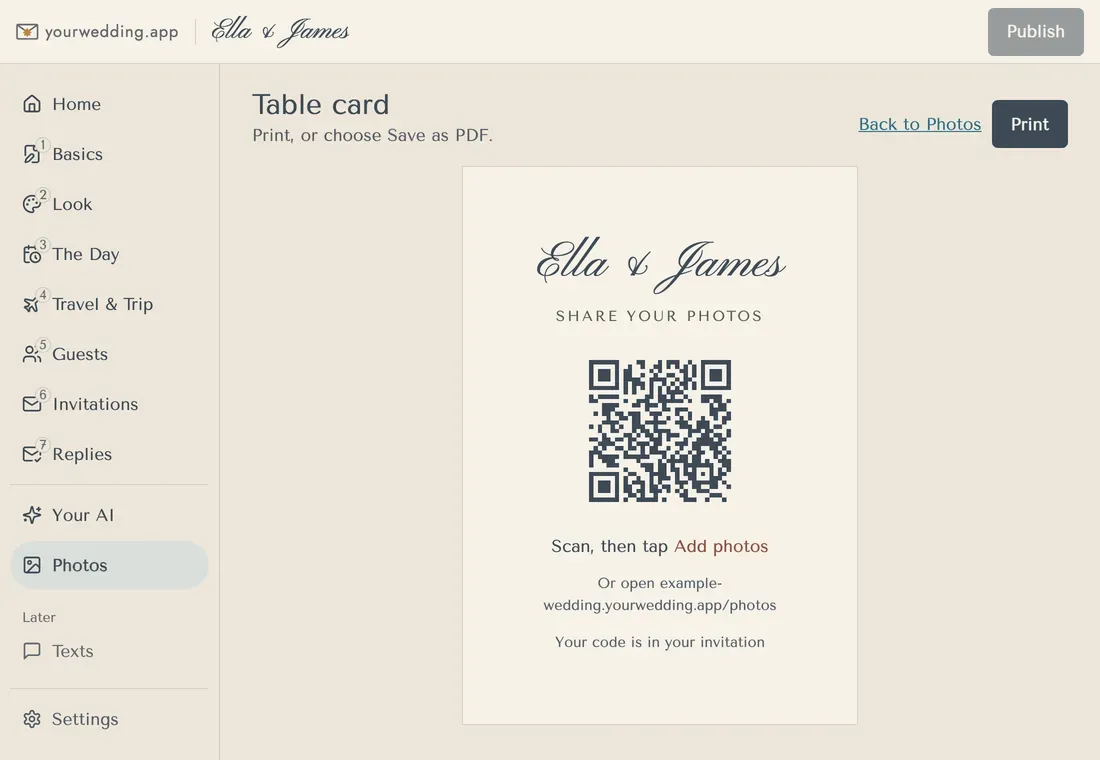
Print a card for each table. Its QR code opens your photo page: a guest who has opened their link on that phone goes straight in, and anyone else types the code from their invitation. The card itself carries no code.
The morning after
At 11 the morning after your wedding, guests who came get an email from you asking for their photos, with their own link. It’s on unless you switch it off.
Your photographer’s photos too
Add your own photos, like the ones from your photographer, and share them with every guest above everyone else’s, with a credit to the photographer.
Just for you
Choose photos for one invitation, or tag guests in them, and they appear under “Just for you” on that invitation’s photo page.
A live slideshow at the reception
Put the slideshow on a screen at the reception. New photos join as guests share them, marked “Just added”.
You stay in charge
Hide any photo from guests. A photo a guest reports is hidden straight away, and you can stop one guest’s uploads.
Private by design
Other guests see each sharer’s first name and initial, like “Kate H.”. Location is removed from guests’ photos before other guests see them, though an older browser may not manage this. Videos are shared as uploaded. Everything is deleted with your guest details, 3 to 24 months after the day.
Keep every original
You get every photo and video as it was uploaded, at full size: photos up to 50 MB and videos up to 100 MB. Download one, a guest’s whole set, or a selection as a zip.
Share to social, if you allow it
Guests can share a photo from their phone to the apps they use. You can switch it off.
Questions
- Do guests need an app?
- No. The album is a page in their phone’s browser, opened from their own link.
- When can guests add photos?
- From midnight on your wedding day, your time, until your guest details are deleted.
- Who can see the photos?
- Only the guests you invited, through their own link.
- Can guests add videos?
- Yes. Photos up to 50 MB and videos up to 100 MB each, straight from the camera roll.
- Is location removed?
- From guests’ photos, before other guests see them, though an older browser may not manage it. Videos are shared as uploaded. You get every original.
- Is it included?
- Yes, with Wedding and Pro. The free plan doesn’t include photos.
- How long are photos kept?
- With your guest details: 3 to 24 months after the day, and you choose. You can download everything first.