Put the date, times, venue, how to get there, where to stay, what to wear and how to reply. Then add answers to anything guests keep asking, and leave off anything you wouldn't tell a stranger.
At a glance5 points · 13 sections
At a glance
- Lead with the basics: date, start time, venue, map and how to reply.
- Add the timeline, travel, places to stay and an FAQ for the questions guests keep asking.
- Leave off your home address, honeymoon dates, bank details and private events.
- Write as if anyone with the address can read it, because they often can.
- A shared password is easy but gets forwarded. Personal links protect each guest's invitation and reply.
This guide is for couples starting a wedding website from a blank page. It works through the site in order, from the basics guests need first to when the site should go live.
Need the actual words? See our wedding website wording examples for each page.
What do guests need to know first?
The basics, at the top, on one screen:
- your names and the date, written in full, like Saturday 20 March 2027
- the start time, and when to arrive
- the venue name and address, with a map
- how to reply, and by when
- who to contact with questions
Easy Weddings says "Online RSVPs mean no more lost response cards or chasing guests" (Your essential guide to a wedding website). Make replying the easiest thing on the page.
What should each page include?
Here's the checklist by page, and where each part lives on a wedding website built with yourwedding.app.
| Page | What to include | Where on yourwedding.app |
|---|---|---|
| Home | Your names, the date, start time, venue and reply-by date | The invitation, from Basics |
| The day | Arrival, ceremony, dinner, last drinks, coach home, dress code | The Day, which adds golden hour and sunset |
| Travel and stay | Getting there, parking, coach times, places to stay | Travel & Stay |
| FAQ | Kids, parking, phones, wet weather, who to call | Good to Know items on The Day |
| Gifts | One optional line, with no bank details | A Good to Know item |
| Reply | A yes or no for each guest, dietary needs, any meal choice | Each guest's own link, with your questions |
There's no separate FAQ or gifts page on yourwedding.app. Good to Know items, each with a heading and a few words, cover both.
What should the timeline say?
Give the times guests need: arrival, ceremony, drinks, dinner, last drinks and the coach home. You don't need every speech.
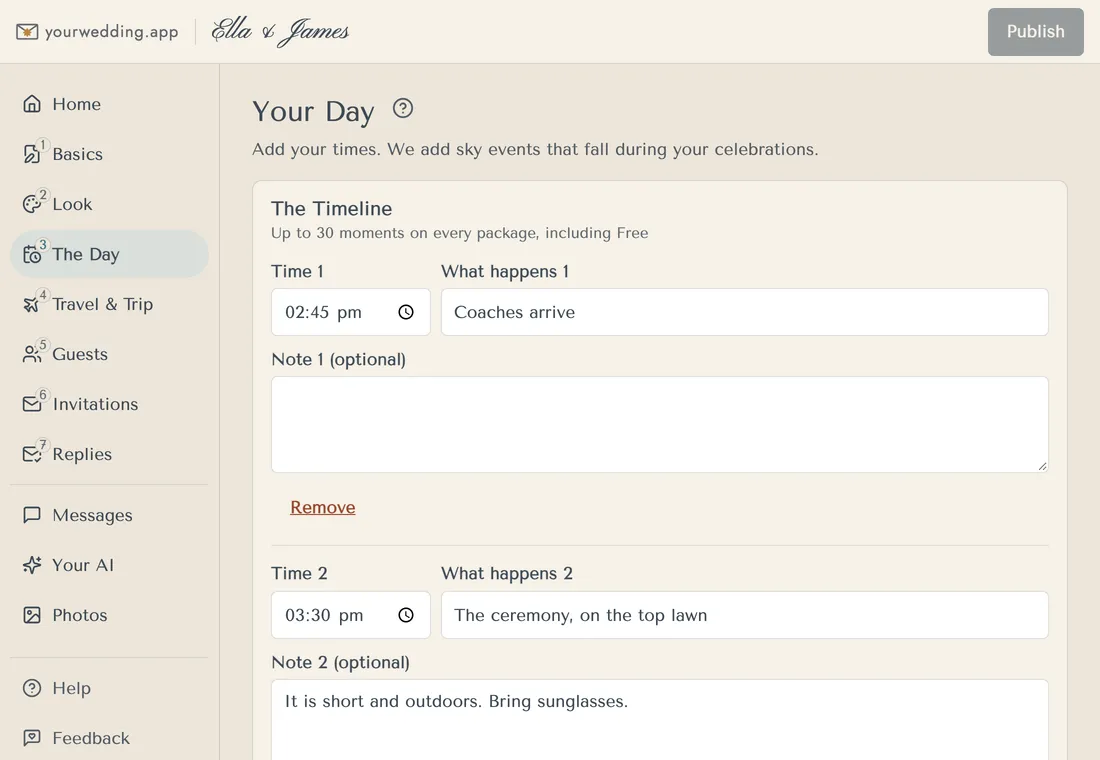
On yourwedding.app, The Day holds your timeline, dress code and a note for guests. It adds golden hour and sunset for you, once your venue is pinned in Basics. On the day itself, the site leads with what's happening now and next.
What about travel and the dress code?
List how guests get there and home, where to park and where to stay. Then say what to wear in plain words. For lines to copy, see wedding website wording examples. For a country or destination wedding, see what to tell guests about a regional or destination wedding.
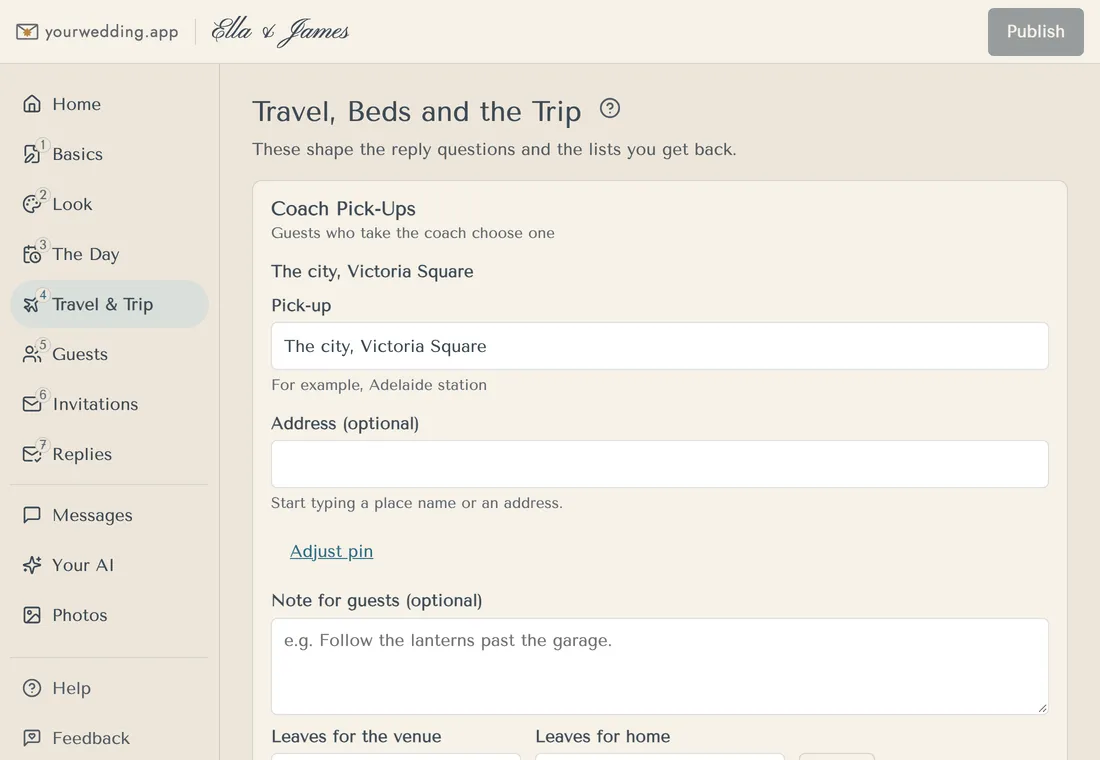
On yourwedding.app, Travel & Stay has coach pick-ups, places to find and a Where to Stay section.
Should the site have a wet-weather plan?
Yes, if any part of the day is outside. Wedshed calls a wet-weather backup "your trusted insurance policy", and says to put it on the site if it means a new place or time (What to Include on Your Wedding Website).
Say where everyone goes if it rains, and when you'll decide. For example: "If it's wet, the ceremony moves into the barn. We'll make the call by 10 am on the day." On yourwedding.app, that fits as a Good to Know item on The Day.
What questions should our FAQ answer?
The ones guests would otherwise text you. Start with these:
- When should we arrive, and where do we park?
- Is there a coach, and when does it leave?
- Are kids invited? Can I bring a partner?
- What does the dress code mean, and what's the ground like?
- What happens if it rains?
- Can we take photos during the ceremony?
- Is there a wishing well?
- Who do we call on the day?
Joy's checklist covers the same ground: dress code, children, plus-ones, parking, shuttles, dietary needs and arrival time (What to Put on Your Wedding Website). For answers you can copy, see what goes in the FAQ and the on-the-day notes.
How do we handle kids and plus-ones on the site?
Say it once, kindly, in your questions section. Don't put it on the front page in bold.
The invitation should already name who's invited. The website then backs it up. See how to word a plus-one and kids-free wedding, or how we handle children and plus-ones.
Should we ask about dietary needs on the site?
Ask on the reply, not on a public page. Ask for detail, like "coeliac" or "severe peanut allergy", so the kitchen gets it right.
Tell guests who will see the answer. On yourwedding.app, guests are asked to agree before they share dietary needs. A meal choice can go on the reply too, as one of your own questions.
Can we put gift or wishing-well details on the site?
Yes, a short line is fine. Keep it optional, and never post bank account numbers on a website. See wishing well wording.
What should we leave off?
Leave off anything you wouldn't tell a stranger. Mindy Weiss recommends a password because a wedding website can reveal your movements (10 Tips for Creating a Wedding Website). Even with one, keep these off the site:
- your home address
- honeymoon dates, or when your house will be empty
- bank account details
- private events, like a family dinner, unless every guest is invited
- guests' names, phone numbers or photos without asking
Who should we share our wedding website with?
The people you've invited. Send it with the save-the-date or the invitation, not in a public post.
If you're sharing it with suppliers, like your celebrant or MC, that's fine. They need the same times your guests do.
Should our wedding website be private?
There are three common ways to share a site. Each has a trade-off.
| How it's shared | What it protects | The catch |
|---|---|---|
| A public link | Nothing. Anyone with the address can read it | Easiest. Keep it to basic details |
| A shared password | Keeps out casual visitors | Passwords get forwarded, and everyone sees the same thing |
| A personal link for each guest | Each guest's invitation and reply | Each guest needs their own link |
WeddingWire warns that a site without a password "may be seen by anyone" (Wedding website mistakes). Zola says a password means "uninvited guests won't be able to see it", but that you'll likely "field multiple texts, calls, or emails asking what the password is" (Should You Password Protect Your Wedding Website?). It depends on the builder, so check before you publish. See how Australian wedding websites compare.
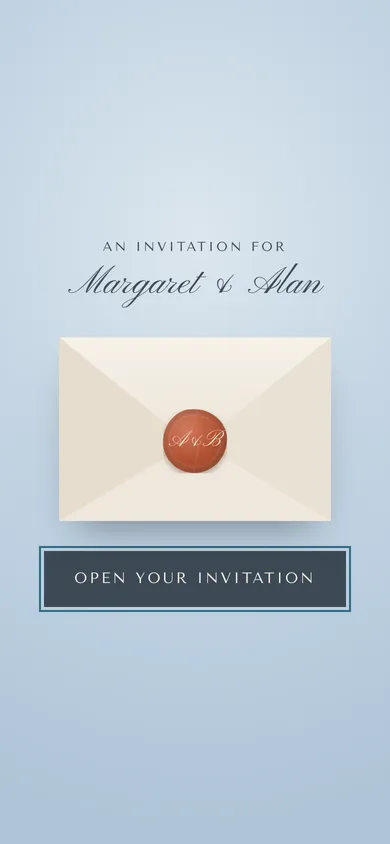
yourwedding.app uses personal links. Each guest's invitation opens with their own link, with no account, app or password. If a link is shared by mistake, you can give that invitation new links, and the old ones stop working within 5 minutes. Guest sites are kept out of search engines and carry no ads or third-party trackers.
See who can see our guests' details.
What goes on the site when we send save-the-dates?
The basics: your names, the date, the town and a line saying more is coming. Joy suggests launching the site "when you send save the dates", with at least your names, the date and the venue (What to Put on Your Wedding Website). If guests need to travel, add places to stay early, so they can book.
yourwedding.app doesn't have a save-the-date feature. Send your save-the-date however you like, then send invitations once the site is ready. See when to send save-the-dates and invitations.
Not ready to share the plan for the day? On yourwedding.app you can keep the timeline back until a number of days before the wedding, or the day itself. Until then, guests see the date and a countdown, or a short note.
After the wedding, take it down once you've thanked everyone. On yourwedding.app you choose how long after the day we keep guest details, then they are deleted. Read more about wedding websites on yourwedding.app.
Questions
Do we need a wedding website?
Not always, but it saves you answering the same questions many times. In Easy Weddings' 2026 survey of more than 4,200 couples, 59 per cent said they were setting one up. It helps most when guests travel or the day has several parts.
A vendor-run survey of its own users.
Source: Easy Weddings
How long should a wedding website be?
Long enough to answer what guests ask, and short enough to read on a phone. Joy says most couples end up with 5 to 10 pages or sections. A few lines on each is plenty, so guests find the coach time without scrolling past your story.
Advice from a US wedding website company.
Source: Joy
Should the site go on the save-the-date?
Yes, if the basics are ready: your names, the date, the town and where to stay. Use a short address that's easy to type. Leave the reply-by date for the invitation, once you know your venue's final-numbers date.
Should we post our wedding website on social media?
We wouldn't. A public post reaches people you haven't invited, and the site tells them where and when you'll be. Send the link straight to the guests you've invited.
Should a wedding website have a password?
A shared password keeps out casual visitors, and some builders offer one. But passwords get forwarded, and every guest sees the same thing. Personal links protect each guest's invitation and reply, though the page text may still be readable by anyone with the address.
Advice from a US wedding website company.
Source: Zola
Can people find our wedding website on Google?
It depends on the builder. Some sites can be found by search engines unless you change a setting. Check before you publish. yourwedding.app keeps guest sites out of search engines, but that is not the same as a password.
What if a guest forwards their invitation link?
Anyone with that link can open that guest's invitation. On yourwedding.app you can give that invitation new links, and the old ones stop working within 5 minutes.
When should we take our wedding website down?
A few months after the wedding is plenty, once you've thanked everyone and shared photos. On yourwedding.app you choose how long after the day guest details are kept, then they are deleted.