How do I connect Claude or ChatGPT?
Last updated 17 October 2026
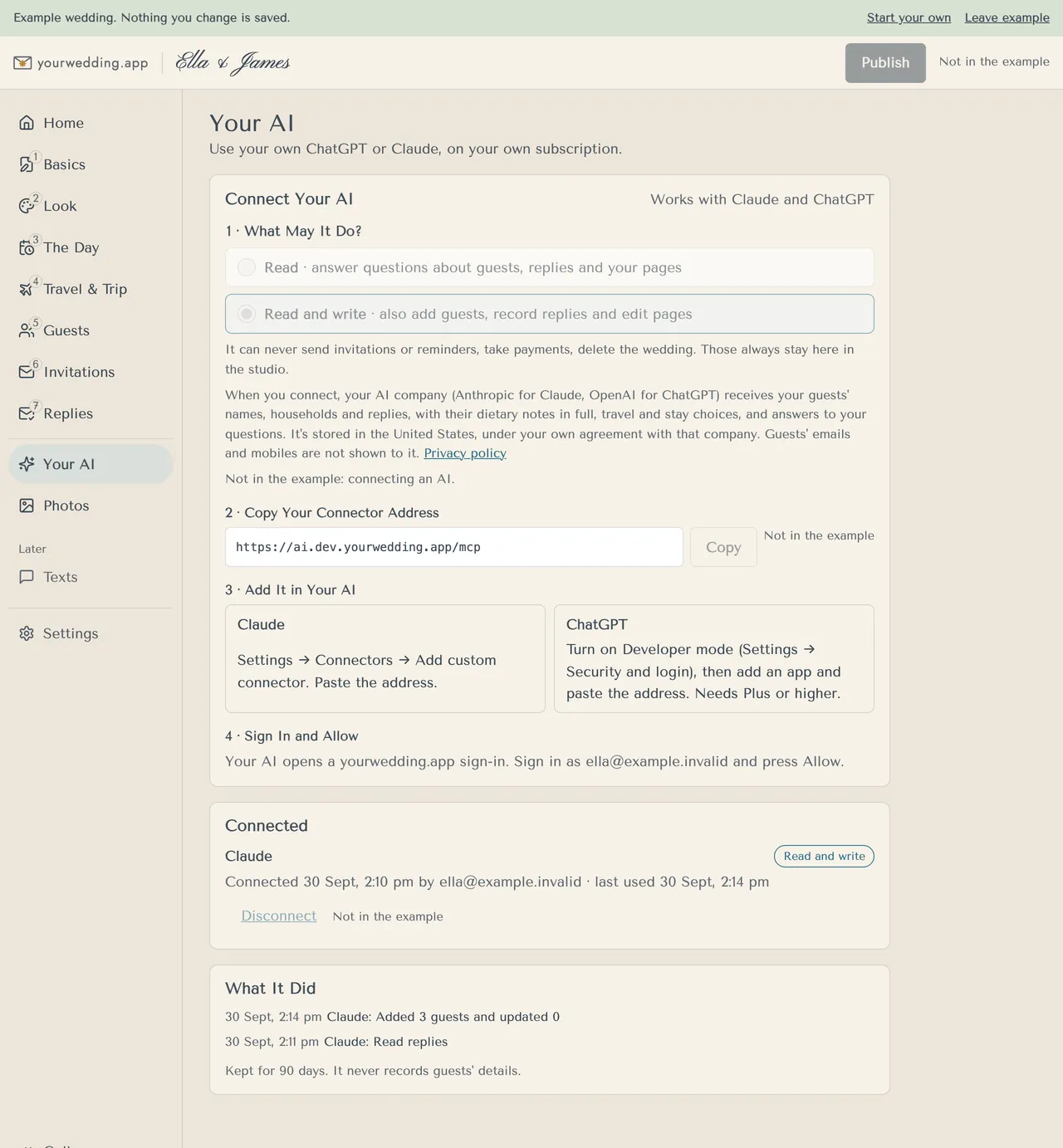
On Pro, open Your AI and add our connector address to your own Claude or ChatGPT.
- Open Your AI.
- Under 1 · What May It Do?, choose Read or Read and write.
- Under 2 · Copy Your Connector Address, press Copy.
- In Claude: Settings → Connectors → Add custom connector, and paste the address.
- In ChatGPT: turn on Developer mode (Settings → Security and login), then add an app and paste the address. This needs Plus or higher.
- Your AI opens a yourwedding.app sign-in. Sign in with your studio email and press Allow.
Your AI runs on your own subscription. You can connect up to 10 AIs to one wedding.
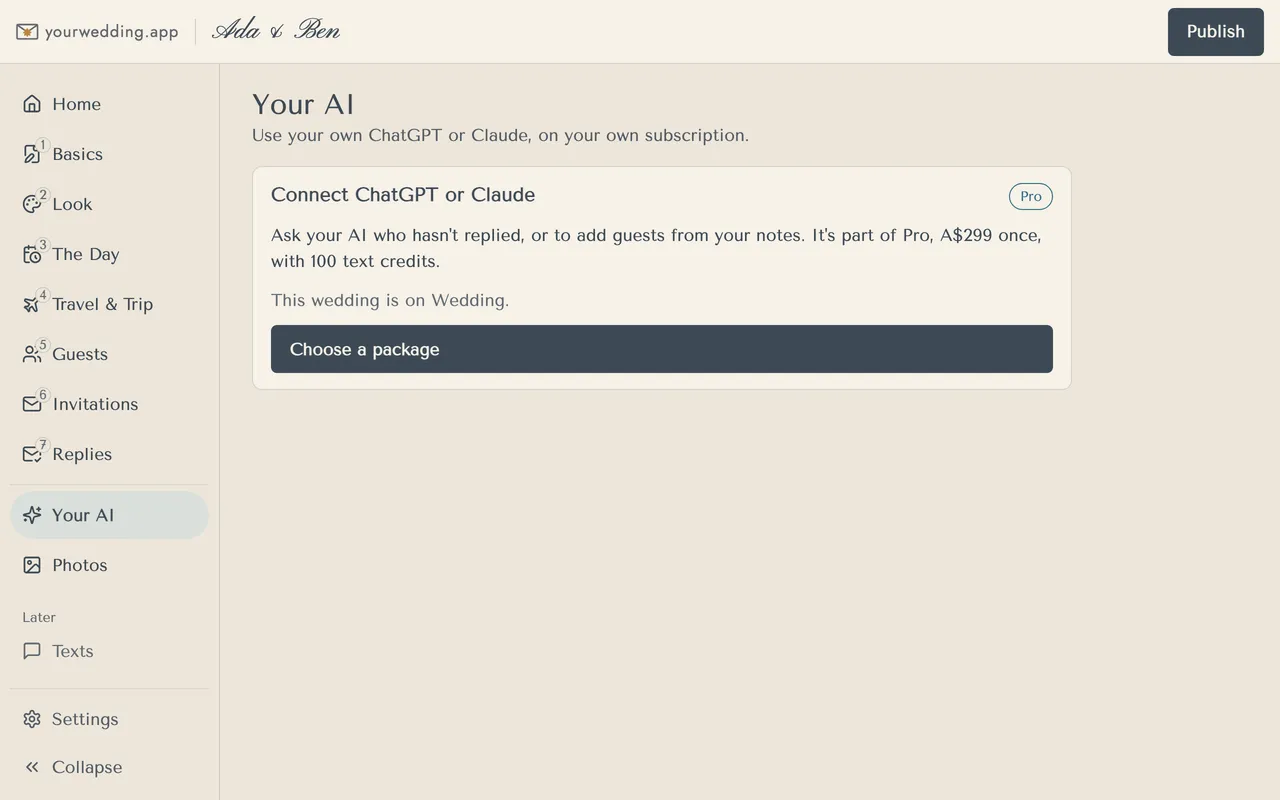
On Wedding or Free, Your AI shows Choose a package instead.
More in Using Claude or ChatGPT
- What can our AI do, and what can't it?
It can read your guests, replies and pages. With Read and write, it can also add guests, record replies and edit pages.
- How do I disconnect our AI?
Press Disconnect beside it on Your AI.
Still stuck?
Open Help in the studio and choose Contact us. We email you a reference. Can’t sign in? Email us instead.
Contact us in the studioEmail hello@yourwedding.app
Guests: please ask the couple first.