How do I disconnect our AI?
Last updated 17 October 2026
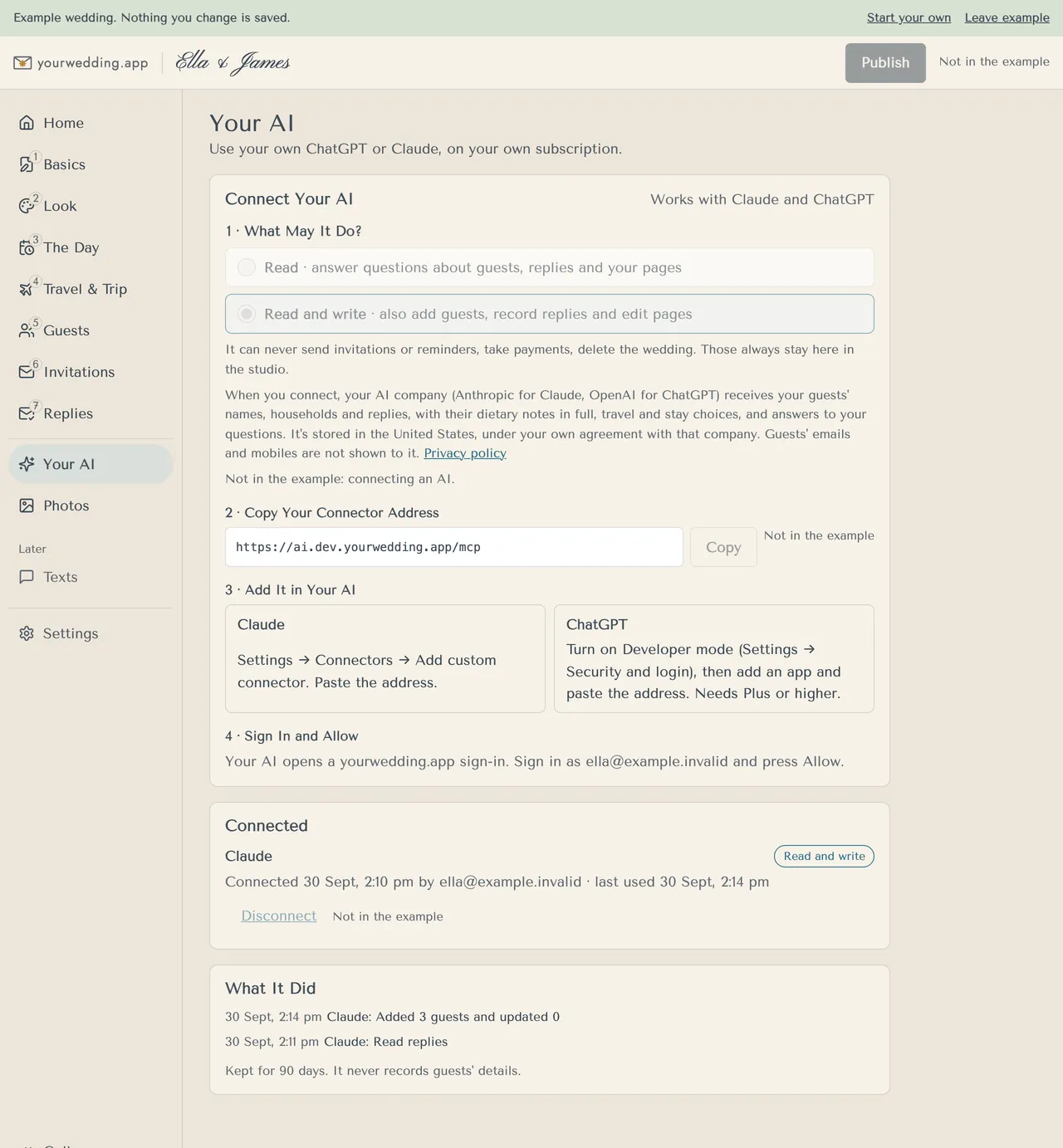
Press Disconnect beside it on Your AI.
- Open Your AI and find Connected.
- Press Disconnect beside the AI.
Access also stops if your wedding leaves Pro, is being deleted, or the person who connected it is removed.
Changing Read or Read and write applies to every connected AI.
More in Using Claude or ChatGPT
- How do I connect Claude or ChatGPT?
On Pro, open Your AI and add our connector address to your own Claude or ChatGPT.
- What can our AI do, and what can't it?
It can read your guests, replies and pages. With Read and write, it can also add guests, record replies and edit pages.
Still stuck?
Open Help in the studio and choose Contact us. We email you a reference. Can’t sign in? Email us instead.
Contact us in the studioEmail hello@yourwedding.app
Guests: please ask the couple first.