How do I add my wedding planner?
Last updated 2 November 2026
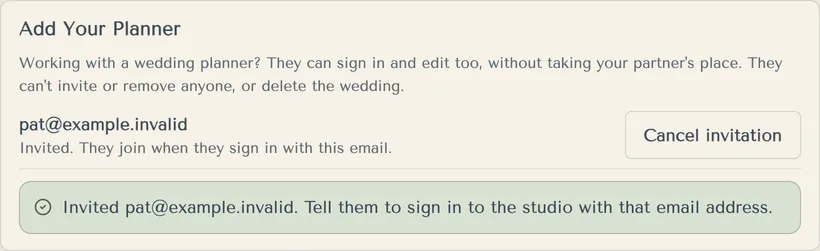
Invite their email in Settings. A planner can edit your wedding without taking your partner's place.
- Open Settings and find Add Your Planner.
- Type Your planner's email and press Invite planner.
- Tell your planner to sign in (or create an account) with that exact email. We don't email them.
- They join when they sign in.
Your planner can see and change everything, like your guest list, replies and website. They can't invite or remove anyone, and they can't delete the wedding.
You can have one planner per wedding. Use Cancel invitation or Remove to take them off.
If you're the planner
Open the couple's names menu and choose Your weddings. It is available even when you have only one wedding. If you have no weddings yet, choose Plan weddings for clients on the welcome screen.
- Choose Start a client wedding.
- Enter your client's exact email, the couple's names, date, timezone and suggested website address.
- Choose Create setup link, then copy and share the link yourself. We haven't emailed your client.
- Your client signs in with that exact email, checks or corrects the details, and explicitly accepts. That creates a Free wedding with your client as Owner and you as Planner. Full editing starts then.
A setup link expires after 30 days. You can have ten open setups at once. An address is reserved when the client accepts, so they may need to choose another if it was taken.
You can switch real weddings from the names menu or Your weddings. Search appears when there are five weddings and open setups in total. You can belong to up to 100 weddings on one login; weddings where you're an owner or partner have a separate limit of five.
Client setup is available on Free. Wedding and Pro packages are bought per wedding. You don't need a planner subscription or affiliate membership. For your own wedding, choose Create my wedding in Your weddings.
More in Account, partner and sign-in
- How do I sign in?
With your email and password, at the studio. Enter both, then press Sign in.
- How do I add my partner?
Invite their email in Settings. Two people can sign in and edit a wedding.
- I can't sign in. What do I do?
Reset your password with a code we email you. Start from the sign-in screen, then choose a new password.
- How do I delete my account?
Partners can delete their own account in Settings. The person who created the wedding deletes the wedding first.
Guides on this
Still stuck?
Open Help in the studio and choose Contact us. We email you a reference. Can’t sign in? Email us instead.
Contact us in the studioEmail hello@yourwedding.app
Guests: please ask the couple first.