How do I add my partner?
Last updated 17 October 2026
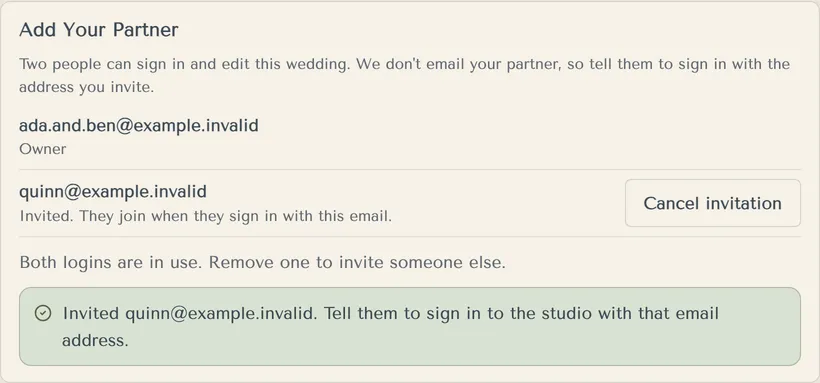
Invite their email in Settings. Two people can sign in and edit a wedding.
- Open Settings and find Add Your Partner.
- Type Their email and press Invite.
- Tell your partner to sign in (or create an account) with that exact email. We don't email them.
- They join when they sign in.
Your partner can see and change everything except deleting the wedding. Use Cancel invitation or Remove to take them off.
More in Account, partner and sign-in
- How do I sign in?
With your email and password, at the studio.
- I can't sign in. What do I do?
Reset your password with a code we email you.
- How do I delete my account?
Partners can delete their own account in Settings. The person who created the wedding deletes the wedding first.
Still stuck?
Open Help in the studio and choose Contact us. We email you a reference. Can’t sign in? Email us instead.
Contact us in the studioEmail hello@yourwedding.app
Guests: please ask the couple first.