Make a shared album, turn its link into a QR code and print it on a card for every table, with a line like 'Scan to share your photos'. Google Photos and iCloud albums are free but have catches. Photo apps run from free tiers to about A$150. On yourwedding.app a table card comes with the paid plans.
At a glance4 points · 8 sections
At a glance
- Choose the route before you write the sign. Each one asks guests for something different after the scan.
- Google's help says anyone with a shared album link can view and add photos, and the link can be passed on.
- iCloud albums made on iOS 27 or later take photos from a browser with no Apple Account, for up to 100 people.
- Test the code from a phone that is not signed in, then word the sign to match what you saw.
The code is the easy part. Any phone can make one in a minute. What matters is the screen a guest sees after the scan: a sign-in, an app store page, a request to join or the album itself. Choose the route, then write the sign to match it. If you'd rather not build it yourself, a wedding website where guests can upload photos comes with its own table card. We make one, so weigh that as you read.
How does a QR code for wedding photos work?
The code holds a web address, and scanning it opens that address on the guest's phone. So the page behind the code is what counts.
Here are the routes couples use, as each company's own help described them on 3 November 2026.
| Route | Cost | What guests need | Who can see the photos | Photo quality |
|---|---|---|---|---|
| Google Photos shared album | Free | The link. Google doesn't say if adding needs an account | Anyone with the link, which can be passed on | Not stated in Google's sharing help |
| iCloud shared album, made on iOS 27 or later | Free. Uses your iCloud storage | A browser. No Apple Account | People you approve, or anyone with the link. 100 at most | Full resolution |
| Dropbox file request | Free plan works. Uses your Dropbox space | A browser. No Dropbox account | You alone | The files as sent |
| Google Form with a file upload | Free | A Google Account sign-in | You. Files go to your Google Drive | The files as sent |
| Photo-sharing app | Free tiers to about A$150 | Usually a browser and their name | Usually everyone with the code | Varies by app and plan |
| yourwedding.app table card | With Wedding or Pro, A$229 or A$299 once | Their own invitation link, or the code from their invitation. No app | People with a link you sent | Every original, as uploaded |
The sources are in the sections below. For app prices, see the best wedding photo sharing apps in Australia.
How do I make a free QR code with Google Photos?
Make a shared album in the Google Photos app, create a link, then show the album's QR code and save it as a picture. These steps follow Google's sharing help.
- Open the Google Photos app and sign in.
- Make an album with a photo or two of your own. Name it for the day, like "Ella & James, 20 March".
- Tap Share and create a link.
- In the album, tap Share, then Show QR code. To print it, Google suggests "a screenshot of the QR code".
- Under Options, leave Collaborate on. Turning it off stops others adding photos (album controls).
- Test it from a phone that isn't signed in to Google, before you print.
Google says "anyone with the link can view the photos and add to the album." Its help doesn't say whether a guest must sign in to add. Wedding sites disagree on this, so test it yourself.
Can we use an iCloud shared album?
Yes. Since iOS 27, guests can add photos from a web browser with no Apple Account, but an album holds 100 people.
Apple's Shared Albums help, published 6 October 2026, says people can "join and contribute their own photos on the web, even without an Apple Account or Apple device". So Android guests can join too.
On iOS 27 or later, open Photos, tap Collections, then Shared Albums, then the add button. Under Sharing Options, share with a link. You can approve each person, or let anyone with the link join, which saves approving requests at your reception. Copy the album link and turn it into a QR code.
The catches, from Apple's Shared Albums limits, published 21 September 2026:
- An album holds 100 participants, owner included.
- Originals stay at full resolution, and what guests add counts towards your iCloud storage.
- A temporary album doesn't use your storage, but holds 5,000 photos and videos in all.
- Albums made on iOS 26 or earlier reduce photos to "2,048 pixels on the long edge" and videos to 720p. Make a new album.
What about Google Drive or Dropbox?
A Google Form asks every guest to sign in to Google. A Dropbox file request doesn't need an account.
Google Forms. A form with a file upload question saves files to your Google Drive. But Google's Forms help says "responders need to sign in to a Google Account" to answer it.
Dropbox. A file request collects files into a folder you choose. Dropbox says "Anyone can send a file to you, whether they have a Dropbox account or not." The folder is private by default, so guests don't see each other's photos. The catches:
- Every file counts against your Dropbox space. When it runs out, guests "will receive an error when they try to upload".
- On Basic, Plus and Family plans, each file can be up to 2 GB.
- Closing the request stops uploads, and the printed code with it.
Make one at dropbox.com under File requests, then copy its link.
Whichever route you pick, use a QR maker that makes a plain code holding your link. "Dynamic" codes send guests through the maker's servers and can stop if that account lapses.
What should the sign say?
Say what to scan, what guests will be asked and what happens next, in two short lines. Then check the words against your signed-out test.
Share your photos with us! Scan to open our Google Photos album, then add yours. If it asks you to sign in, use your Google account.
Keep the last sentence if your signed-out test asked for a sign-in.
Scan to join our shared album and add your photos from your phone's browser. No Apple Account needed, so Android works too. If asked, tap Send Request.
Drop the last sentence if anyone with the link can join.
Send us your photos! Scan, pick your favourites and upload them. No account needed. They come straight to us.
Scan, sign in with your Google account and upload your photos. Add your name so we know who to thank.
No app needed. Scan, type your name and share your photos and videos.
Check your app's own steps. Some need a download or an account.
Take all the photos you like tonight. Then scan the code on your table and share them with us.
Print the web address under the code too, for guests whose camera won't scan.
Where should the QR code go?
Put one on every table, and a bigger sign where people stand and wait.
- Every table. An A6 card, 105 by 148 mm, stands up beside the centrepiece.
- The bar and the welcome sign. People queue there with their phones out.
- Beside the slideshow, if you put photos on a screen.
How do we test it before printing?
Use a phone that has never signed in to the service, and follow the code the way a guest would.
- Borrow a phone that isn't signed in to Google, Apple or Dropbox. Try an iPhone and an Android phone.
- Print one card at its real size and scan it from a chair.
- Add two photos and a short video.
- Note every screen you saw: a sign-in, an app prompt, a request to join.
- Check the photos arrived, and download one to check it is full size.
- Rewrite the sign to match, then print the rest.
- On the day, check the code works on the venue's reception or Wi-Fi.
How is a wedding website's QR code different?
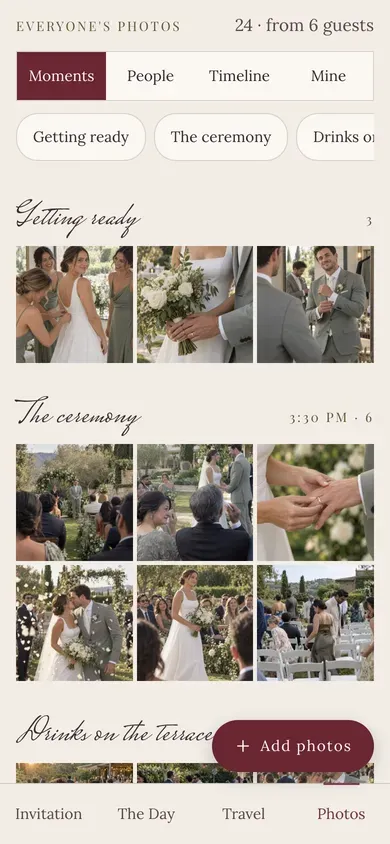
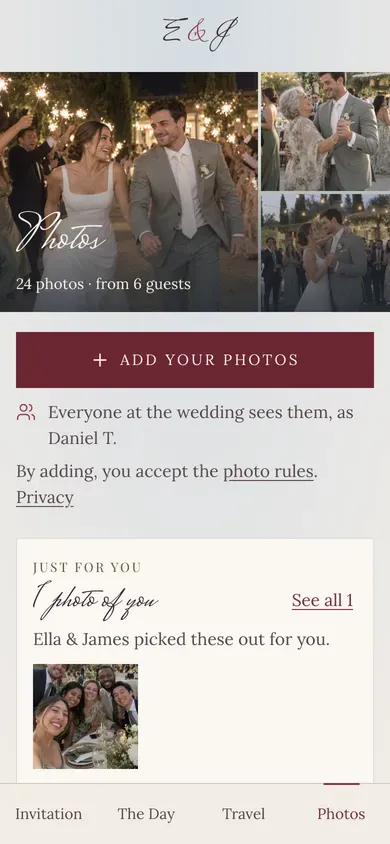
It opens your wedding site's photos page, where each guest uses their own invitation, instead of an album anyone with the link can join.
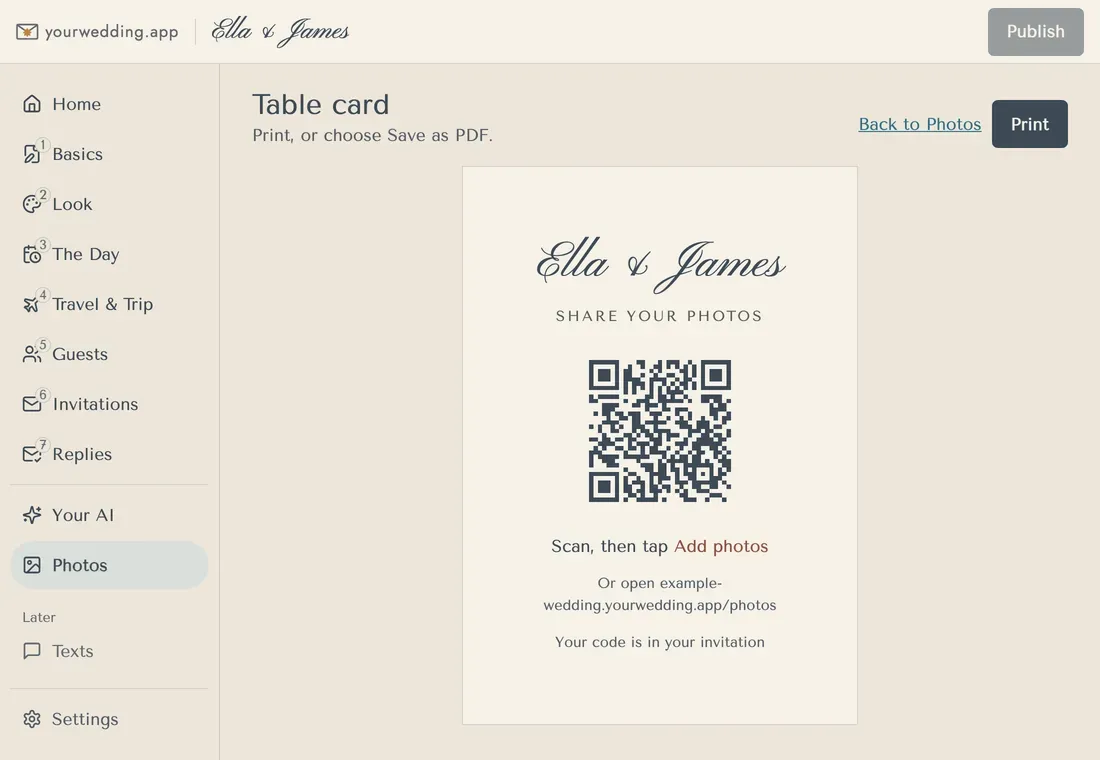
On yourwedding.app, open Photos and press Table card. You get an A6 card with your names, "Share your photos" and a QR code to your photos page. Under the code it says "Scan, then tap Add photos", your site's address, and "Your code is in your invitation". Print it, or save it as a PDF (help). It comes with the paid plans, Wedding (A$229) and Pro (A$299), paid once.
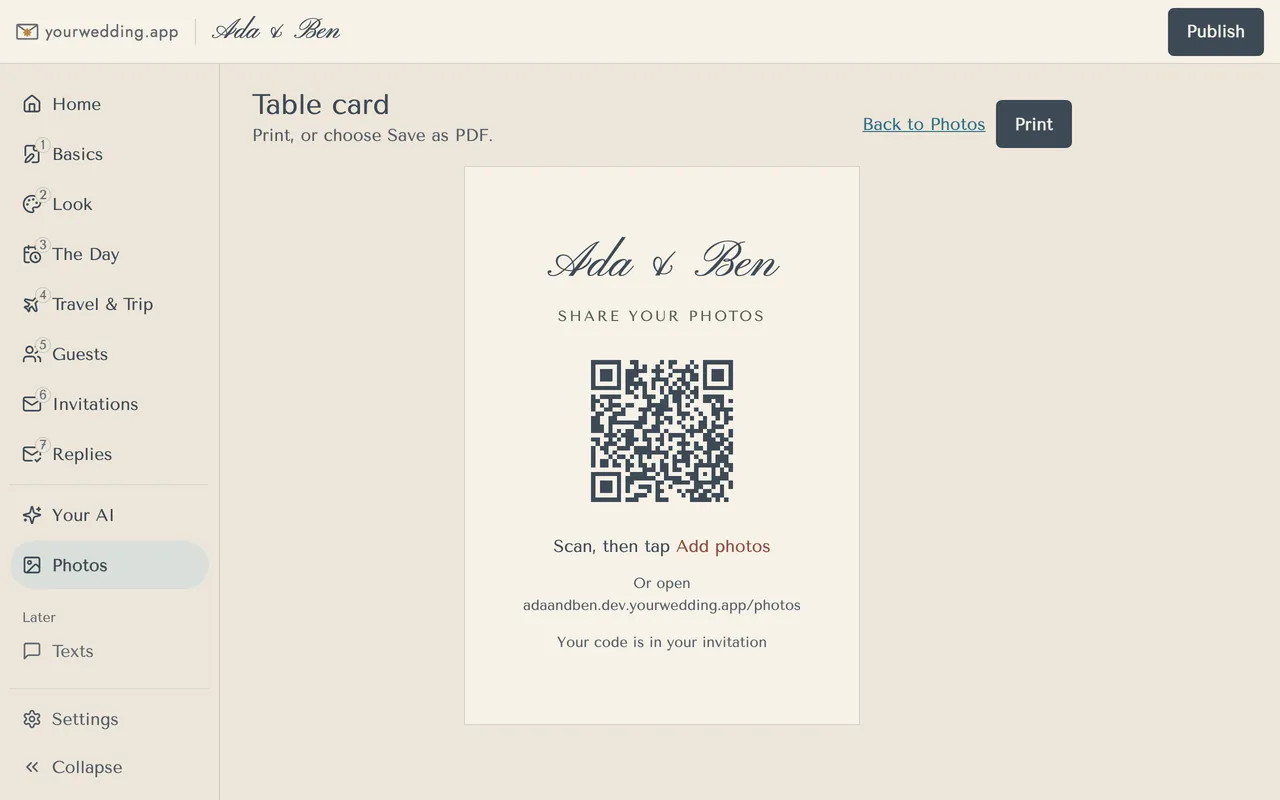
The honest catch: the card carries no code. A guest who has opened their invitation link on that phone goes straight in. Anyone else types the code from their invitation, so a guest who left it at home has to find their email or text.
What you get in return:
- People need a link you sent to add or see photos, so a photo of the card is no use on its own.
- Uploads open at midnight on your wedding day. At 11 the next morning, guests who came get an email from you with their own link, unless you switch it off.
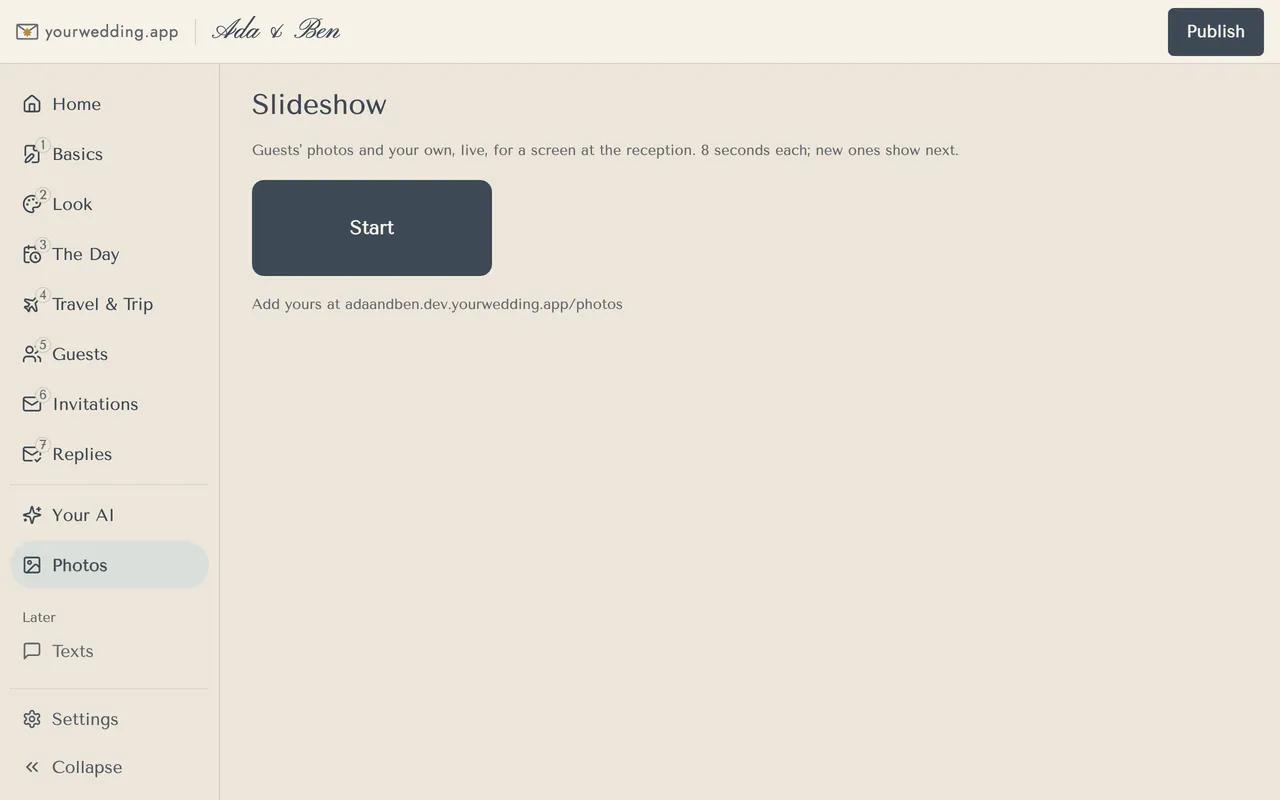
- The slideshow shows new photos as they arrive, with "Add yours at" and your address. It has no QR code.
There's no approval queue (you hide a photo after it appears), no disposable-camera mode and no audio guestbook. For the plan around the code, see how to collect wedding photos from guests.
Questions
Is a QR code for wedding photos free?
The code is free: any QR maker turns a link into one. Google Photos and iCloud albums are free too, and Dropbox file requests work on its free plan. Photo apps run from free tiers to about A$150. On yourwedding.app the table card comes with Wedding or Pro.
Does a wedding photo QR code expire?
A plain QR code doesn't, because it holds the link itself. But the link can stop working. If you reset a Google Photos link, close a Dropbox file request or delete the album, every printed card stops working too.
Source: Google Photos Help, Dropbox Help
Do guests need an app to scan the code?
Most phone cameras read QR codes without one. What opens next depends on your route, so run the signed-out test to see what your guests will get.
Can guests share videos through the QR code?
Usually. iCloud and Dropbox take videos, though iCloud albums made on iOS 26 or earlier deliver them at up to 720p. On yourwedding.app guests add videos up to 100 MB each.
Source: Apple Support
What if there's no phone reception at the venue?
Put the venue Wi-Fi on the card if there is one. Otherwise ask guests to add photos from home. On yourwedding.app they can, any time until your guest details are deleted.
Can our photographer add photos through the QR code?
Ask them, but most deliver an edited gallery later through their own service. On yourwedding.app you add the photographer's photos yourself, with a credit, above the guests' photos.
How big should a QR code be on a table card?
Big enough to scan from a chair. About 5 cm wide is a good start on a table card. Print one at its real size and scan it from a seat before you print the rest.
Can the photo QR code go on our invitations?
Yes, but put it on the tables too, because people forget. A printed code is the same on every card, so it can't be a guest's personal link. On yourwedding.app uploads open at midnight on your wedding day.