Choose one place for every photo, tell guests about it before and on the day, then ask again the morning after with the link. Shared Google Photos and iCloud albums are free. A photo app, or a wedding website with a photos page like yourwedding.app's, costs money but asks less of guests.
At a glance4 points · 8 sections
At a glance
- Pick one place for every photo, and give the same link everywhere.
- Ask three times: before the day, on the tables and the morning after.
- Group chats are easy, but photos get buried. Use a route that keeps the original file.
- No independent data says how many photos you will get. How you ask matters more than the app.
Guests take photos all day. Getting them back is the hard part, because people forget, phones fill up and a group chat buries everything by Monday. This guide covers choosing a method, timing your asks and the message for the next day. The QR code itself, with setup steps and sign wording, has its own guide. If you'd like photos in the same place as your invitations and replies, see our wedding website where guests can upload photos.
What's the easiest way to collect wedding photos from guests?
Pick the route that asks the least of your least techy guest, then ask three times: before the day, on the day and the morning after.
- A small wedding, with a group chat already going: a shared album still beats the chat, because photos don't get buried. It's free.
- More than about 100 guests, with iPhones and Android phones: skip iCloud, which holds 100 people per album. Use Google Photos, a photo app or a wedding website.
- You want full-size originals: avoid chat apps. Use a route that keeps the file as sent.
- You want to know who sent what, and keep photos among your guests: use a photo app that asks for names, or a wedding website with a photos page.
Which method should we use?
Here are eight, side by side. The facts about Google, Apple and Dropbox come from their own help pages, read on 3 November 2026.
| Method | Cost | What guests do | Quality | Who can see |
|---|---|---|---|---|
| Group chat | Free | Send to a chat they're already in | Depends on the app and its settings | Everyone in the chat |
| Ask one by one | Free | Send by AirDrop, text or email | Depends how they send | You |
| Google Photos shared album | Free | Open the link. Google's help doesn't say if adding needs an account | Not stated in Google's sharing help | Anyone with the link |
| iCloud shared album, made on iOS 27 or later | Free. Uses your iCloud storage | Open the link in a browser. No Apple Account | Full resolution | Up to 100 people |
| Dropbox file request | Free plan works. Uses your Dropbox space | Open the link. No account | The files as sent | You |
| Google Form with a file upload | Free | Sign in to Google, then upload | The files as sent | You |
| Photo-sharing app | Free tiers to about A$150 | Usually scan a code and type their name | Varies by app and plan | Usually everyone with the code |
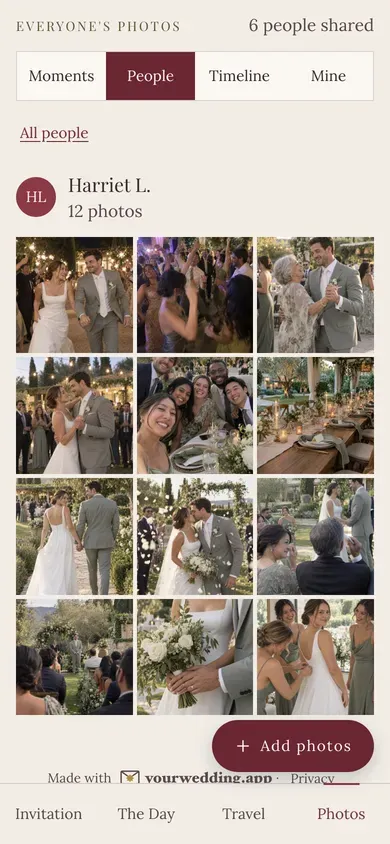
| Wedding website with a photos page, like yourwedding.app | With Wedding or Pro, A$229 or A$299 once | Open their own invitation link, or scan the table card and type their code | Every photo and video as uploaded | People with a link you sent |
Sources: Google's sharing help, Apple's Shared Albums help and limits, Dropbox's file requests and Google's Forms help. For app prices, see the best wedding photo sharing apps.
Is a Google Photos shared album good enough?
For a relaxed wedding where you know everyone, often yes. For a big or private one, its catches add up.
What Google's help says:
- It's free, and "anyone with the link can view the photos and add to the album".
- "After a link is created, it can be shared by others" (album controls).
- Resetting the link stops the old one working, including on any printed card.
What it doesn't say is whether a guest must sign in to add photos. Wedding sites disagree. Test it from a phone that isn't signed in to Google.
Our verdict: it's good enough if your signed-out test goes smoothly, you don't mind the link travelling, and someone downloads the album afterwards. Choose something else if you want photos kept among your guests, or want guests to do nothing but tap and pick.
How do we get full-quality photos?
Use a route that keeps the original file, and ask guests to share from their camera roll, not from a chat.
- iCloud: albums made on iOS 27 or later keep originals at full resolution. Albums made on iOS 26 or earlier reduce photos to 2,048 pixels on the long edge and deliver videos at up to 720p.
- Dropbox: a file request takes each file as sent, up to 2 GB on personal plans.
- Photo apps: it depends on the plan. Kululu's pricing page, as shown on 3 November 2026, says its free plan saves uploads "in standard quality" and its paid plans "in original quality".
- Chat apps: what gets sent depends on the app and its settings. If quality matters, point guests to your album instead.
- yourwedding.app: you get every photo and video as it was uploaded. Guests can add JPEG, HEIC and PNG photos up to 50 MB each and MP4 and MOV videos up to 100 MB, and each household can share up to 5 GB.
When should we ask guests for photos?
At least three times: before the day, on the day and the morning after.
- With the invitation or on your website. Say where photos go and that videos are welcome.
- In your last details message. Repeat the link a week or so before.
- On the tables. A card with a QR code on every table, and a sign at the bar.
- After the speeches. Ask your MC to mention it once.
- On a screen. A slideshow of photos as they arrive reminds everyone else.
- The morning after. Send the link with a thank-you, while the night is fresh.
- About a week later. One last friendly nudge from you. Then download everything.
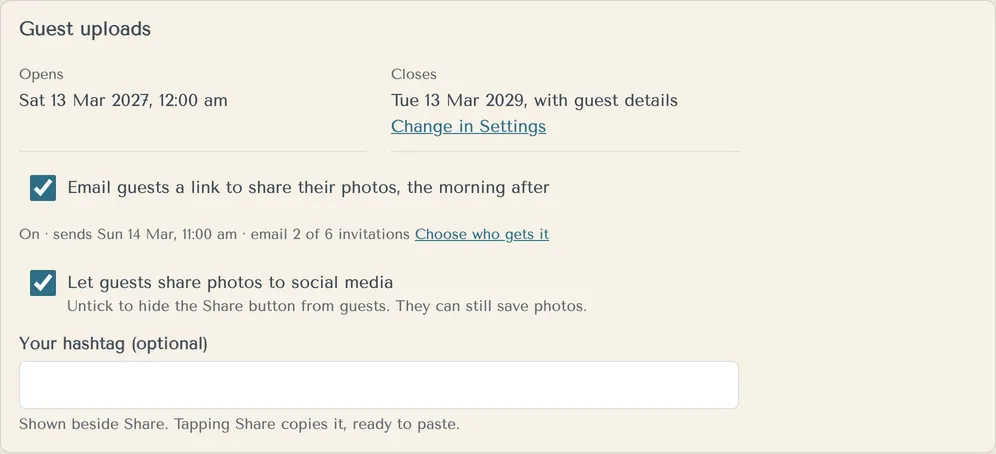
On yourwedding.app, step 6 is built in. At 11 the morning after, guests who came get an email from you with their own link. It's on unless you switch it off. Uploads open at midnight on your wedding day, so guests can't add photos before then. The slideshow shows photos as they arrive, with "Add yours at" and your site's address. We send no second photo email, so step 7 is yours.
What should we send the morning after?
Thank guests, give the link and keep it short enough to read in bed.
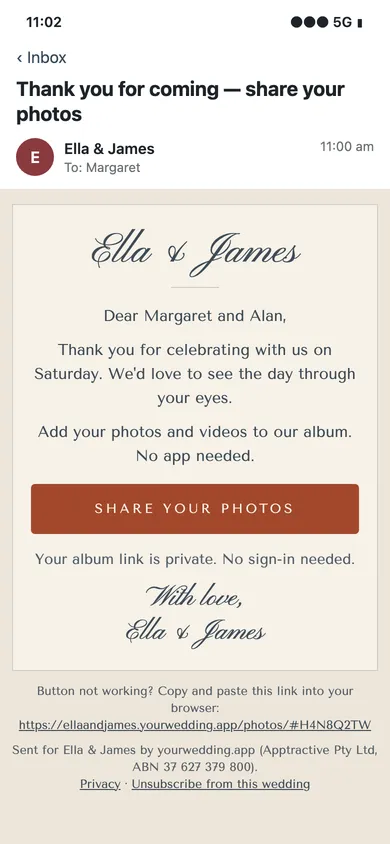
Thank you for celebrating with us yesterday. We loved every minute.

If you took any photos or videos, we'd love to see them. Add them here: [link]

Ella & James
Thank you for yesterday! If you snapped any photos, add them here when you get a minute: [link]
Morning all, and thank you for a perfect day. Please put your photos in our album, not this chat, so we get the full-size ones: [link]
Last call for photos! If there are still some from Saturday on your phone, add them here by Sunday: [link]. Thank you!
P.S. Still have photos from the day? We'd love them. Add them at [address].
Everyone's photos from the wedding are in one album now. Have a look, and tell us your favourite: [link]
How do we add the photographer's photos?
Ask your photographer how they deliver and whether you may share the photos, then put them where guests already look.
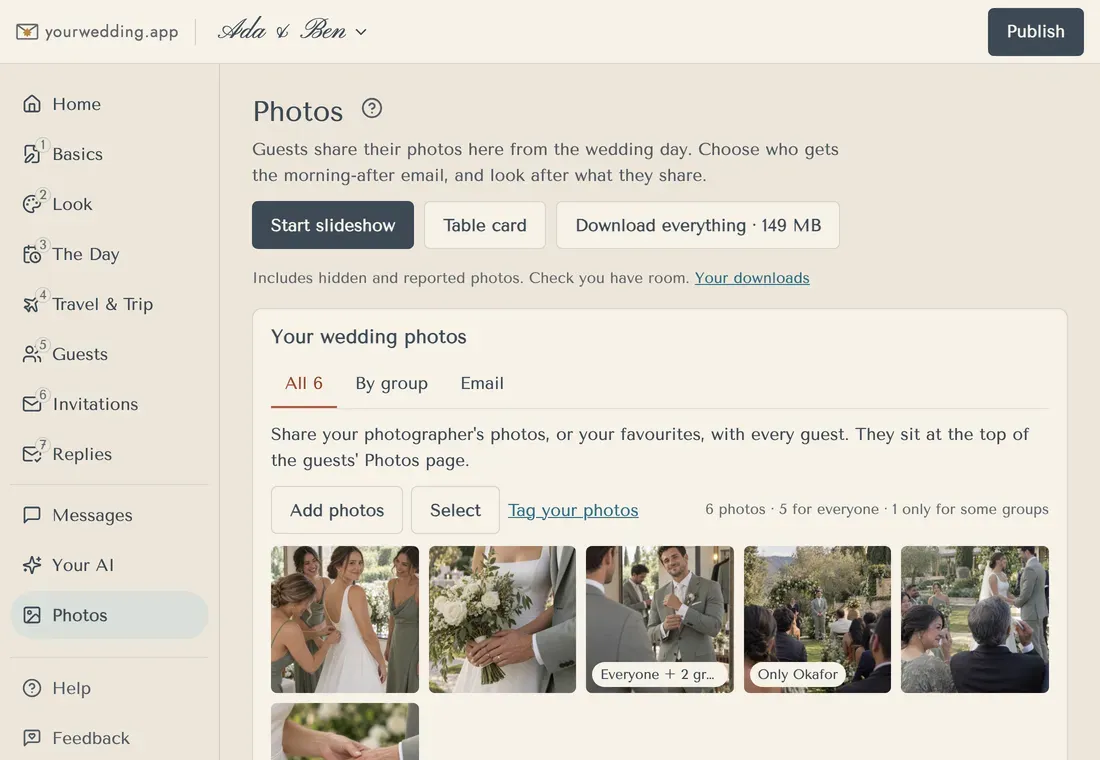
Many photographers deliver an edited gallery some weeks after the day, through their own service. Check what your contract says about sharing. On yourwedding.app, add the photos under Your wedding photos, with a note and a Photographs by credit. They sit at the top of the guests' photos page, above everyone else's (how to share them).
What about privacy, location data and children?
Decide who should see the photos before you choose the route, because links travel.
- Links. A Google Photos album link can be passed on. An iCloud album can ask you to approve each person. A Dropbox request keeps every photo with you.
- Location. Phone photos often record where they were taken. On yourwedding.app, location is removed from guests' photos before other guests see them, though an older browser may not manage it. Videos are shared as uploaded. Your own downloads are the originals, location included.
- Names. On yourwedding.app, other guests see each sharer as a first name and initial, like "Kate H.".
- Children. Ask parents before any photo of their children goes somewhere public. A line on your website helps: "Please don't post photos of children online."
- Social media. If you'd rather guests didn't post, say so kindly. On yourwedding.app you can switch off the Share button.
- Taking photos down. On yourwedding.app you can hide any photo, and a photo a guest reports is hidden straight away (how to hide a photo).
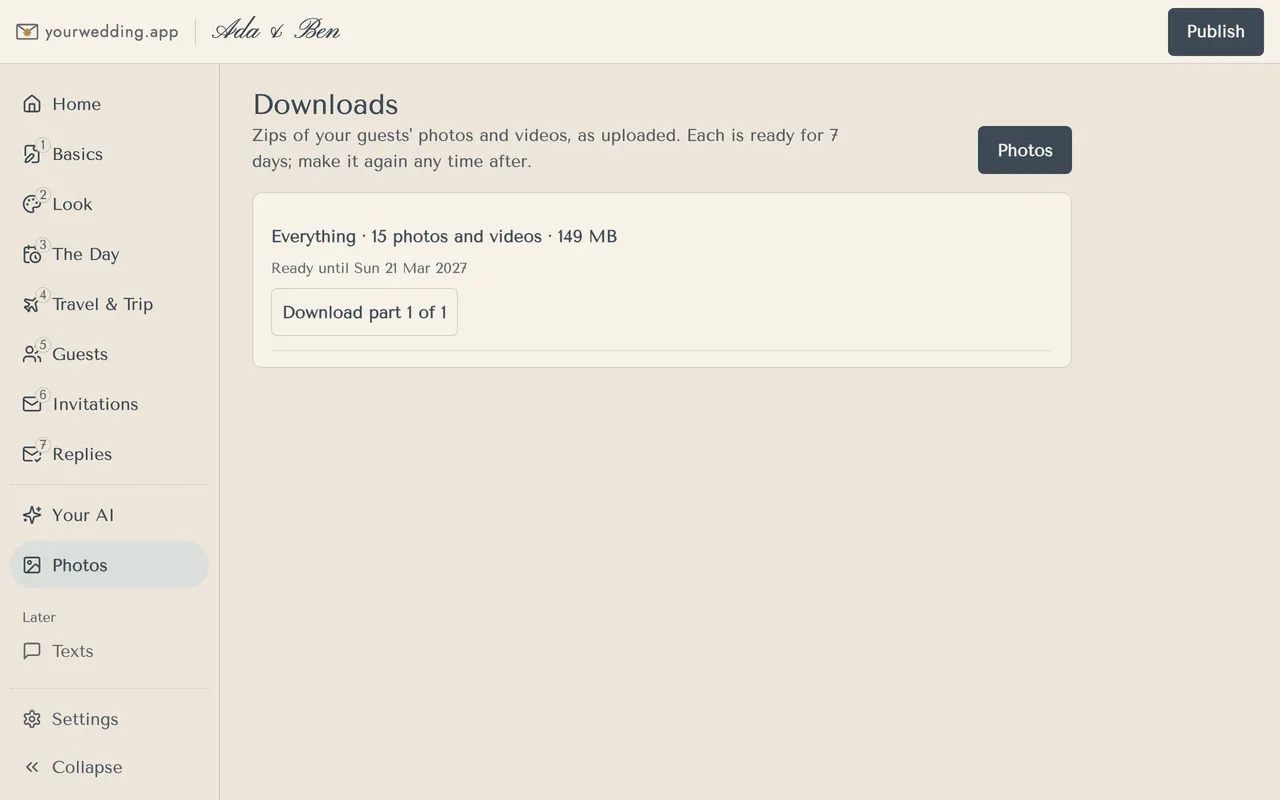
- Deletion. Guest photos are taken down with your guest details, 3, 6, 12 or 24 months after the day, and deleted 7 days later. You choose, so download everything before then (how to download).
To be plain about what we don't do: guests can't upload before the wedding day, there's no queue to approve photos before they appear, and there's no disposable-camera mode or audio guestbook. Photos come with the paid plans, and people need a link you sent to add or see them. No app is needed.
Questions
How long does it take guests to upload wedding photos?
It depends on the files and the connection. Photos send quickly on good reception, and videos take longer. Ask guests to keep the page open until everything has sent, or to try again on home Wi-Fi.
How many photos will we get from our guests?
There's no reliable data. The figures online come from photo-app sellers, without sources. In our view, asking on the day and again the morning after matters more than which app you choose.
Do guests need Wi-Fi to share wedding photos?
No, mobile data works. If reception is poor, put the venue Wi-Fi on the card, or ask guests to share from home. Lense says guests who have joined its camera can shoot offline, and photos upload when the connection returns.
Source: Lense
Can Android guests add to an iCloud shared album?
Yes, if the album was made on iOS 27 or later. Apple says people can join and contribute their own photos on the web, even without an Apple Account or Apple device. For albums made on iOS 26 or earlier, Apple describes a public website for viewing them.
Source: Apple Support
Can guests add to a Google Photos album without a Google account?
Google's help doesn't say. It says anyone with the link can view the photos and add to the album, but not whether a sign-in appears. Test from a phone that isn't signed in to Google before you print anything.
Source: Google Photos Help
Can we ask guests not to post our wedding photos online?
Yes. Say it kindly on your website and on the day, for example: Please keep photos off social media until we've shared ours. On yourwedding.app you can switch off the Share button on the photos page.
Can we print the photos guests share?
Yes, if you have the full-size files. Print from the originals, not from chat copies or screenshots. On yourwedding.app you can download everything as a zip, with every photo as it was uploaded.
What if a guest shares an inappropriate photo?
Take it down quickly. In an iCloud shared album, the owner can delete anyone's photos. On yourwedding.app you can hide any photo from guests, and a photo a guest reports is hidden straight away until you look at it.
Source: Apple Support