How do I get our list into Excel?
Last updated 17 October 2026
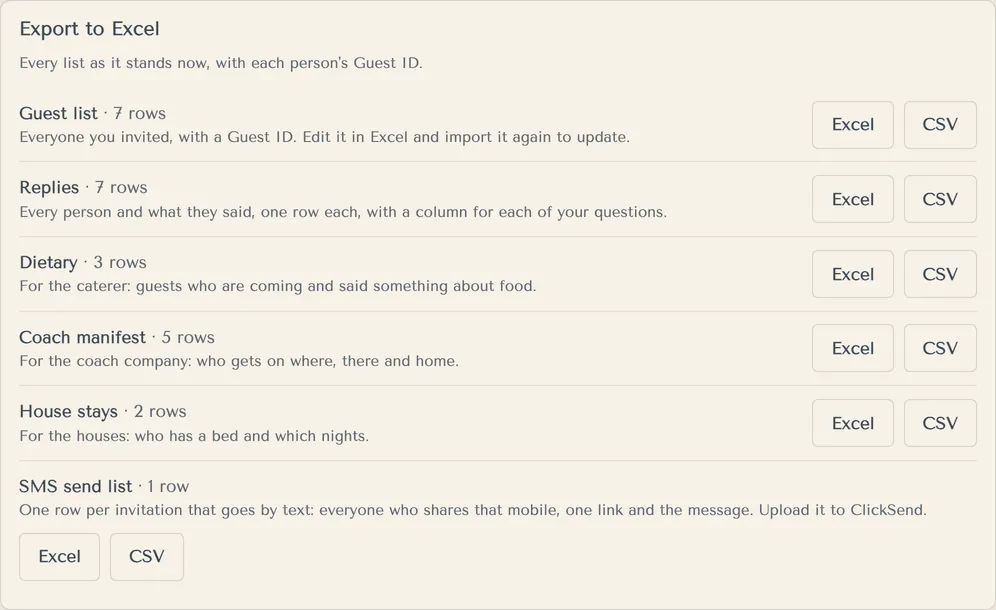
Open Replies and use Export to Excel. Every list comes as Excel or CSV.
- Open Replies and scroll to Export to Excel.
- Press Excel or CSV beside the list you want:
- Guest list: everyone, with a Guest ID. Edit it and import it again to update.
- Replies: every person and what they said, with a column for each of your questions.
- Dietary: for the caterer.
- Coach manifest and House stays, if you have them.
- SMS send list, for texting invitations yourself.
Exports work on every package, including Free.
More in Guests and households
- How do I add guests?
Add one household at a time, with everyone in it named. A household is the people who share an invitation, like a couple or a family.
- Can I import our guest list from a spreadsheet?
Yes. Import a CSV or Excel file with one row per person. We group people into households for you.
- How do I find a guest or see who's waiting?
Use the filters and the search box on Guests.
- How do I add children or plus-ones?
Add children to their family's household and tick Child (under 16). There are no unnamed plus-ones: add every guest by name.
- A guest's link was shared by mistake. What do I do?
Give them a new link. The old one stops working straight away.
Still stuck?
Open Help in the studio and choose Contact us. We email you a reference. Can’t sign in? Email us instead.
Contact us in the studioEmail hello@yourwedding.app
Guests: please ask the couple first.