Where do I find dietary needs for the caterer?
Last updated 17 October 2026
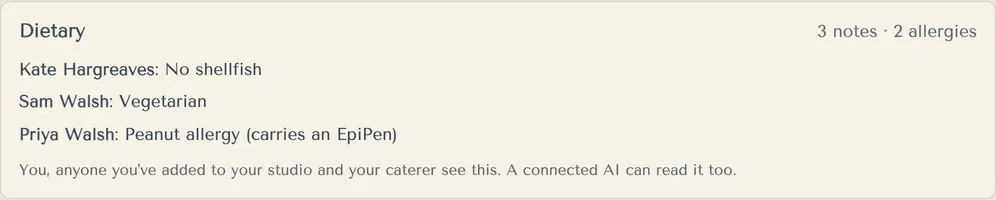
In the Dietary card on Replies, and in the Dietary export.
- Open Replies and scroll to Dietary.
- Read each note. The card counts notes and allergies.
- For the caterer, use Export to Excel, then Dietary.
Guests type their own dietary needs. They agree to share them with you, your helpers, your caterer and any AI assistant you connect, which may store them in the United States.
You, anyone you've added to your studio and your caterer see this. A connected AI can read it too.
More in Replies
- How do I see who's coming?
Open Replies. It shows live counts and lists for the caterer, the coach and the houses.
- Can I ask guests our own questions?
Yes, up to 10. Guests see them after they accept.
- A guest told us by phone. How do I record it?
Use Update reply on their row. Guests can still change it from their link until replies close.
- What happens when replies close?
Guests can't reply or change their reply after the end of your Replies close day, at the venue.
- Will we get an email when someone replies?
Yes. Each of you gets an email about 2 minutes after a guest replies. You can switch to a daily digest, or turn them off.
Still stuck?
Open Help in the studio and choose Contact us. We email you a reference. Can’t sign in? Email us instead.
Contact us in the studioEmail hello@yourwedding.app
Guests: please ask the couple first.