How do we upgrade?
Last updated 17 October 2026
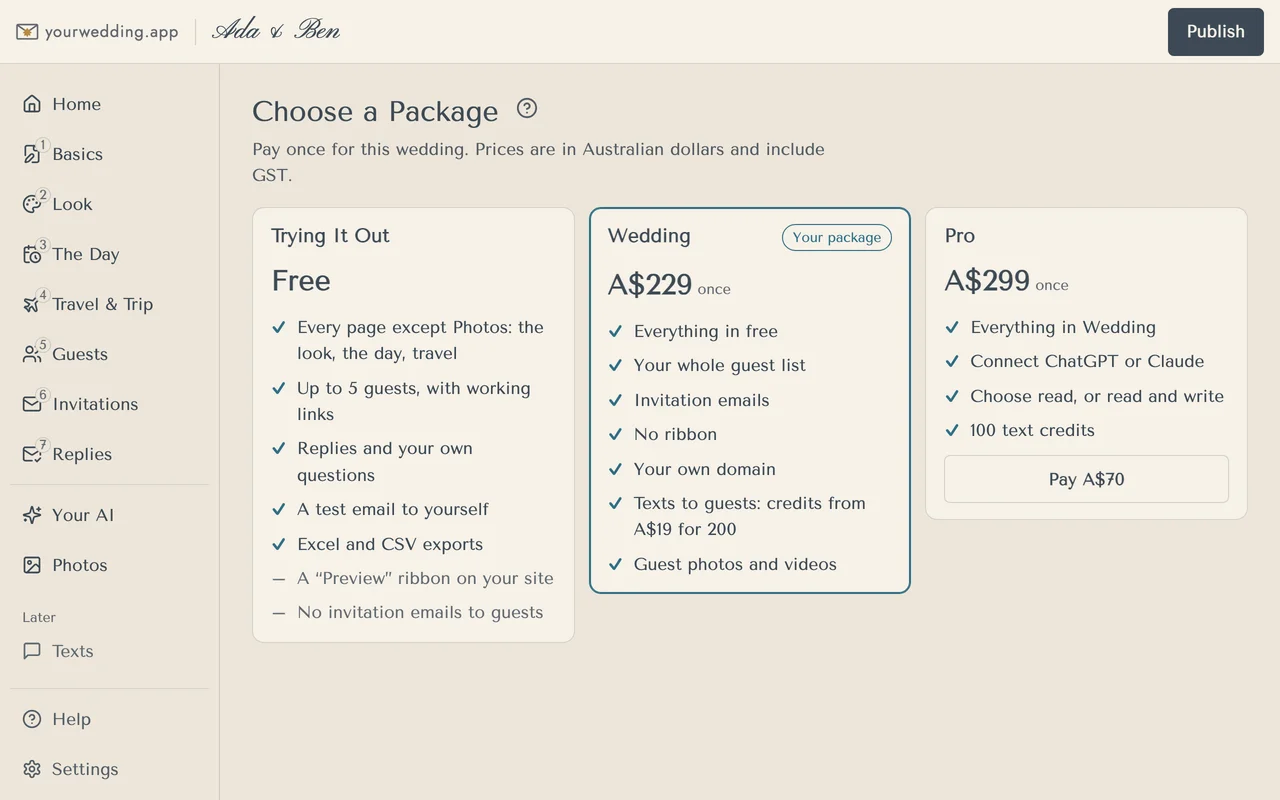
Choose a package and pay with Stripe. Moving from Wedding to Pro costs the difference, A$70.
- Press Choose a package, or open Settings and press See the packages.
- Press Pay A$… on the package you want.
- Pay on Stripe's page.
- Back in the studio, wait for "Your … package is ready."
- Press Publish to remove the Preview ribbon.
If you cancel on Stripe, nothing changes. If the payment takes a moment, press Check payment again.
More in Plans, billing and refunds
- How much does it cost?
You pay once per wedding. There's no subscription, and guests never pay. Prices are in Australian dollars and include GST.
- What can we do for free?
Build your whole site and try it with up to 5 guests. Guests on Free have working links and can reply.
- How do text credits work?
One credit sends one text part. Credits don't expire while your wedding is live, and work while it's on Wedding or Pro.
- Can we get a refund?
Yes. Ask within 14 days of your first payment, and no later than your wedding date, for a full refund. No questions asked.
Still stuck?
Open Help in the studio and choose Contact us. We email you a reference. Can’t sign in? Email us instead.
Contact us in the studioEmail hello@yourwedding.app
Guests: please ask the couple first.